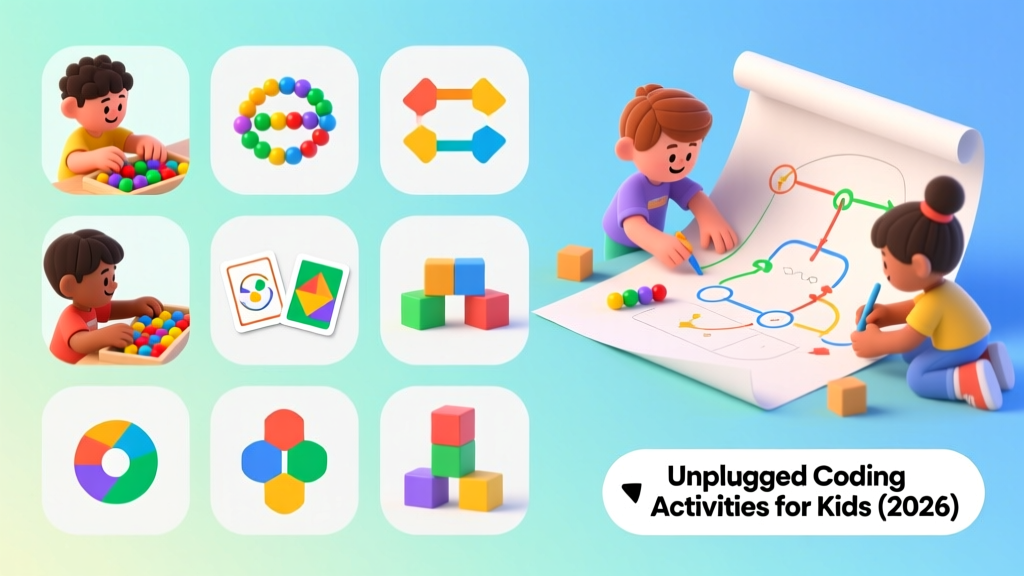
Unplugged Coding Activities For Kids No Screens (2026)
📚 Why Unplugged First?
Research from Code.org and the Computer Science Teachers Association (CSTA) shows that students who learn computational thinking through unplugged activities before touching a keyboard show 35% better problem-solving outcomes. Physical movement creates stronger neural pathways for abstract concepts.
Core Concepts Covered
| CS Concept | What It Means | Real-World Analogy |
|---|---|---|
| Algorithms | Step-by-step instructions | A recipe |
| Loops | Repeating actions | Singing verses of a song |
| Conditionals | If/then decisions | If it rains, bring an umbrella |
| Debugging | Finding and fixing errors | Proofreading an essay |
| Decomposition | Breaking problems into parts | Planning a birthday party |
| Pattern Recognition | Finding similarities | Sorting laundry |
12 Unplugged Coding Activities
1. Human Robot (Algorithm Writing)
CSTA 1A-AP-08 Ages: 4-7 | Time: 15 min | Players: 2+
One person is the "robot" (blindfolded or eyes closed). The "programmer" must guide them from point A to point B using only specific commands: "step forward," "turn left 90°," "turn right 90°," "stop."
The catch: The robot follows instructions EXACTLY. If you say "step forward" near a wall, they walk into it. This teaches precision in algorithm writing.
Level up: Write the entire sequence on paper first (pre-planning), then execute without corrections.
2. Cup Stack Algorithms
CSTA 1A-AP-09 Ages: 5-9 | Time: 20 min | Players: 2+
Using plastic cups, one person builds a structure. The other must recreate it from a written set of symbol-based instructions (→ = move right, ↑ = stack on top, etc.).
Create a "programming language" with 4-6 symbols and challenge each other to increasingly complex structures.
3. Dance Loop Choreography
CSTA 1A-AP-10 Ages: 4-8 | Time: 15 min | Players: 1+
Create a 4-move dance sequence. That's your "loop body." Now perform it 3 times (a counted loop). Add a conditional: "IF the music is fast, do it double speed."
Advanced: Nested loops — repeat a 2-move sequence inside a 4-move sequence.
4. Sorting Network
CSTA 1B-AP-08 Ages: 7-12 | Time: 30 min | Players: 6+
Draw a sorting network on the ground with chalk (parallel lines with comparison nodes). Kids stand at inputs holding numbered cards. At each node, they compare and swap if needed. By the end, they're sorted.
This physically demonstrates how computers sort data — the same algorithm behind your phone's contact list.
5. Binary Bracelets
CSTA 1A-IC-09 Ages: 6-10 | Time: 25 min | Players: 1+
Using two colors of beads (e.g., red=1, blue=0), encode the first letter of your name in 8-bit binary ASCII. String it into a bracelet.
Example: "A" = 01000001. Kids learn that computers store everything as numbers.
6. Paper Airplane Debugging
CSTA 1A-AP-15 Ages: 5-9 | Time: 20 min | Players: 1+
Give kids a paper airplane with a deliberate "bug" (folded wrong). They must identify the bug, fix it, and test. Then introduce 3 bugs at once.
CS connection: This is exactly what software engineers do — find errors in code, hypothesize fixes, test, iterate.
7. Conditional Simon Says
CSTA 1A-AP-12 Ages: 4-8 | Time: 10 min | Players: 3+
Classic Simon Says, but with nested conditionals: "IF Simon says touch your nose AND you're wearing blue, do it. IF Simon says jump BUT you're under 6, do a small hop instead."
This teaches boolean logic (AND, OR, NOT) through physical response.
8. Graph Paper Pixel Art
CSTA 1A-AP-06 Ages: 6-12 | Time: 20 min | Players: 1+
Draw a picture on graph paper by coloring squares. Now write instructions for someone else to recreate it: "Row 1: 3 white, 2 black, 3 white. Row 2: 2 white, 4 black, 2 white..."
This is exactly how computers store images — as a grid of pixel color values.
9. Maze Programming
CSTA 1B-AP-11 Ages: 6-10 | Time: 25 min | Players: 2
Draw a maze on graph paper. Write a program (sequence of arrows) to navigate it. Trade programs with a partner — does their code solve your maze?
Introduce loops: "→→→" becomes "3×(→)" to show compression.
10. Data Compression with Stories
CSTA 1B-AP-16 Ages: 8-12 | Time: 20 min | Players: 1+
Write a paragraph where common words are replaced with symbols (the = ★, and = ♥, is = ◆). Count how many characters you saved. This is lossless compression — the same technique used in ZIP files.
11. Parity Magic Trick (Error Detection)
CSTA 1B-AP-17 Ages: 8-12 | Time: 15 min | Players: 2+
Arrange a grid of black/white cards. Add an extra row and column so each has an even number of black cards. When someone flips one card, you can find it instantly by checking which row and column now have odd counts.
This is how computers detect data corruption — the same parity bits used in RAM and network packets.
12. Function Machine
CSTA 1B-AP-13 Ages: 6-10 | Time: 15 min | Players: 2+
One person is the "function machine." They have a secret rule (e.g., "add 3" or "multiply by 2"). Others input numbers, the machine outputs results. Players must figure out the function.
Advanced: Two-input functions ("add the two numbers"), or composition (chain two function machines).
Age-Appropriate Progression
| Age | Start With | Progress To |
|---|---|---|
| 4-5 | Human Robot, Dance Loops, Conditional Simon Says | Cup Stack Algorithms |
| 6-7 | Cup Stack, Binary Bracelets, Graph Paper Pixels | Maze Programming, Function Machine |
| 8-10 | Maze Programming, Paper Airplane Debugging | Sorting Networks, Data Compression |
| 11-12 | Sorting Networks, Parity Magic | Combine multiple concepts into original projects |
Assessment Without Tests
How do you know if kids are learning? Watch for these signals:
- Pre-planning: They write out steps before acting (algorithmic thinking)
- Self-correction: They catch their own errors mid-execution (debugging)
- Compression: They use "repeat 3 times" instead of writing the same step 3x (loop recognition)
- Transfer: They apply concepts to new situations without prompting
Frequently Asked Questions
Do I need any CS background to lead these activities?
No. Each activity is self-contained with the CS concept explained in plain language. The concepts are intuitive — you already use algorithms (recipes), loops (daily routines), and conditionals (weather decisions) every day.
How do these connect to actual programming?
Every unplugged concept maps directly to code. Algorithms become functions, loops become for/while loops, conditionals become if/else statements. Kids who master these concepts unplugged learn actual programming languages 2-3x faster.
Can I do these in a classroom setting?
Yes — most activities scale to 20+ students. Sorting networks work best with 6+ kids. For large groups, run stations where different groups rotate through activities.
What's the ideal session length?
15-30 minutes for ages 4-7, 30-45 minutes for ages 8-12. Always end while kids are still engaged — you want them asking for more, not checking the clock.
More Articles
 Build Simple Machines with Everyday Objects
Teach Fractions with Everyday Objects: Fun 2026 Guide
Build Simple Machines with Everyday Objects
Teach Fractions with Everyday Objects: Fun 2026 Guide
 Make a Compass for Kids: 5 Safe, Science-Backed Methods
 Privacy for Beginners: Simple Digital Safety Guide
 Math Games & Puzzles That Make Learning Numbers Fun
 Kitchen Science: 6 Easy Experiments for Kids
 Science Experiments Using Kitchen Ingredients
 How Spatial Thinking & Tools Shape Math Understanding
 Coding Games for Kids Ages 5-8 That Work
 STEM Activities for Preschoolers Ages 3-5