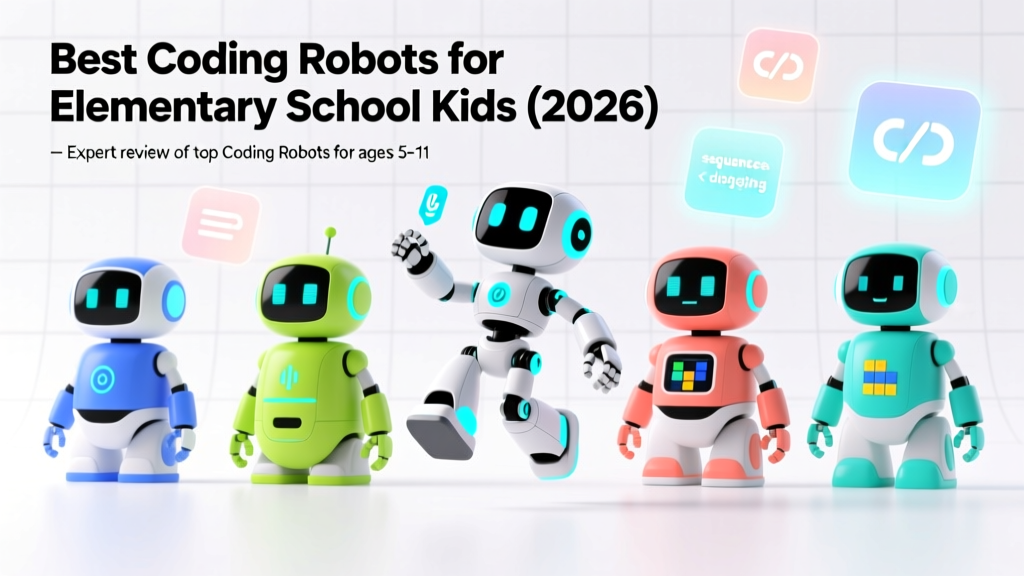
Best Coding Robots for Elementary School Kids (2026)
🤖 The Big Idea: Coding robots make abstract programming concepts tangible. The best robots grow with your child — starting with visual block coding at age 5 and progressing to text-based programming by age 11. Here are the top picks for every age and budget.
Why Coding Robots Work
Research from MIT's Media Lab shows that children who learn programming through physical robots demonstrate 60% better understanding of sequencing and debugging compared to screen-only coding. The robot's physical response makes errors visible and debugging intuitive.
- Concrete feedback: When code is wrong, the robot goes the wrong way — instant, clear feedback
- Spatial reasoning: Planning a robot's path builds mental mapping skills
- Persistence: Kids naturally iterate on robot code more than on screen-based programs
- Collaboration: Robot challenges invite pair programming and teamwork
Top Picks by Age Group
Ages 4-6: Screen-Free Coding
| Robot | How It Works | Price Range | Best For |
|---|---|---|---|
| Bee-Bot | Buttons on the robot's back for directional commands | $80-100 | Pre-K and Kindergarten |
| Code-a-Pillar | Connect segments to program a sequence | $40-60 | Simplest intro to sequencing |
| Botley 2.0 | Remote programmer with 40+ commands | $60-80 | First coding with loops and conditionals |
Ages 6-8: Block-Based Coding
| Robot | Platform | Price Range | Best For |
|---|---|---|---|
| Sphero BOLT | Sphero Edu app (Scratch-like blocks) | $130-150 | Waterproof, draws with light |
| Makeblock mBot | mBlock (Scratch-based) | $80-100 | Build-it-yourself robot |
| Ozobot EVO | Color codes + OzobotBlock | $100-120 | Screen-free + screen options |
Ages 9-11: Transition to Text
| Robot | Platform | Price Range | Best For |
|---|---|---|---|
| LEGO SPIKE Prime | Scratch blocks → Python | $330 | LEGO lovers, competitions |
| micro:bit + robot chassis | MakeCode → JavaScript/Python | $30-80 | Best value, most flexible |
| Dash by Wonder Workshop | Blockly → JavaScript | $150-170 | Rich sensor suite |
What to Look For
- Growth path: Does the robot support multiple coding levels as your child advances?
- Curriculum: Are there lesson plans, challenges, and community projects?
- Durability: Can it survive drops, spills, and enthusiastic handling?
- No hidden subscriptions: Some robots require paid app subscriptions for full features
- Compatibility: Does it work with your tablet or computer's OS?
Starter Challenge Ideas
Maze Navigation (Ages 4-6)
Build a simple maze with books or tape. Program the robot to navigate from start to finish. Start with 3-step sequences, add turns and loops.
Dance Party (Ages 6-8)
Program the robot to perform a dance: move forward, spin, light up, make sounds, reverse. Add music and choreograph a routine.
Delivery Bot (Ages 9-11)
Build a course with "delivery points." Program the robot to navigate to each point, pause, and announce what it's delivering. Add sensors to avoid obstacles.
More Articles
 Gravity Experiments That Teach Kids Physics
 Safe Physical Interaction in Education Settings
 20 Safe Kitchen Chemistry Experiments for Kids
Fun Measurement Activities for Kids at Home 2026
20 Safe Kitchen Chemistry Experiments for Kids
Fun Measurement Activities for Kids at Home 2026
 Weather Experiments Kids Can Do at Home (2026)
 Is Osmosis Jones for Kids? Science Learning Truth (2026)
 Popsicle Stick Bridge Building for Kids
 Best Screen-Free Coding Toys for Ages 4–8
 Coding for Kids: Scratch Tutorial Ages 8–12 (2026)
 Teaching Kids How to Use a Compass (2026)