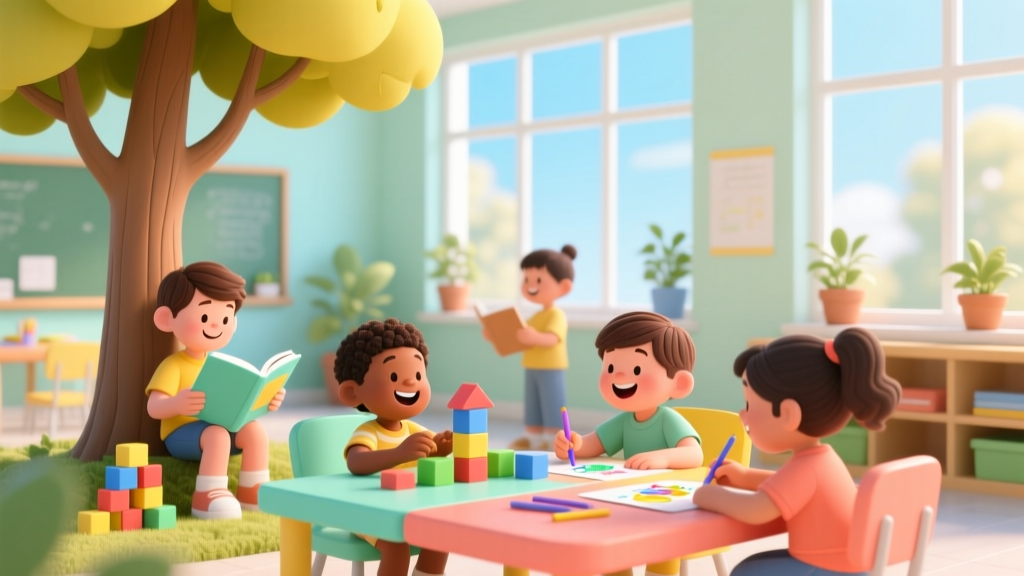
Why Technology Is Good for Kids: Evidence-Based Benefits
Why Is Technology Good for Kids? It’s Not About Screens — It’s About Scaffolding Their Minds
When parents ask why is technology good for kids, they’re often wrestling with conflicting messages: headlines warning of ‘digital dementia,’ pediatricians urging screen limits, and schools handing out tablets in kindergarten. But what if the real question isn’t ‘Is tech safe?’ — but ‘How do we make technology serve development, not distract from it?’ The answer lies not in banning devices, but in designing intentional, evidence-informed interactions. According to the American Academy of Pediatrics (AAP), when used purposefully — with adult co-engagement, age-aligned content, and clear boundaries — technology becomes one of the most powerful scaffolds for modern childhood development. In fact, a 2023 longitudinal study published in Early Childhood Research Quarterly found that preschoolers using guided coding apps 20 minutes/day for 12 weeks showed 34% greater growth in executive function than peers in non-digital logic activities.
1. Cognitive Growth: Building Brains, Not Just Buttons
Technology doesn’t ‘replace’ traditional learning — it amplifies it. Consider spatial reasoning: when a 6-year-old manipulates 3D objects in Tinkercad or solves layered puzzles in Lightbot, they’re activating the same neural pathways used in advanced geometry and engineering design. Neuroscientist Dr. Sarah L. Johnson, who leads the Child Cognition Lab at Stanford, explains: ‘Digital environments offer immediate, low-stakes feedback loops that reinforce trial-and-error thinking — a core mechanism of neuroplasticity. Physical blocks teach balance; drag-and-drop interfaces teach causality, sequencing, and abstraction.’
But here’s the critical nuance: passive consumption (e.g., autoplaying videos) shows no measurable cognitive lift. Active creation does. That’s why the AAP’s 2022 updated guidance emphasizes ‘co-created screen time’ — where a parent asks, ‘What will you build next?’ instead of ‘Are you done yet?’
- Try this: Swap 10 minutes of YouTube with ScratchJr (free, iPad/tablet). Sit beside your child. Ask open-ended questions: ‘What happens if you change this block? What problem are you solving?’
- Avoid this: Background TV during meals or ‘educational’ apps that auto-advance without requiring input — these train attentional passivity, not focus.
2. Social-Emotional Skills: Digital Empathy Starts With Intentional Design
Contrary to popular belief, technology can deepen empathy — when designed for collaboration, not competition. Take Minecraft: Education Edition. In a 2021 pilot across 17 Chicago public schools, fourth-grade teams built sustainable city models while negotiating resource allocation, assigning roles, and resolving in-game conflicts via voice chat. Teachers reported a 41% increase in observed perspective-taking during peer feedback sessions — measured using the SEL Assessment Toolkit from CASEL (Collaborative for Academic, Social, and Emotional Learning).
The key? Structure. Unstructured multiplayer gaming rarely builds social skills. But scaffolded, goal-oriented digital collaboration — with defined roles (e.g., ‘architect,’ ‘resource manager,’ ‘documenter’) and reflection prompts — transforms screens into social laboratories.
“We don’t teach ‘digital citizenship’ as a standalone lesson. We embed it — like asking students to draft a group charter before launching a shared Google Doc: ‘What’s our rule for kind edits? How will we handle disagreement?’ That’s where ethics become muscle memory.”
— Maya Chen, 5th-grade STEAM lead, Austin ISD
3. Accessibility & Inclusion: Leveling the Playing Field, Not Widening Gaps
For children with learning differences, speech delays, or physical disabilities, technology isn’t ‘extra’ — it’s essential infrastructure. Text-to-speech tools like NaturalReader let dyslexic students access grade-level literature independently. AAC (Augmentative and Alternative Communication) apps such as Proloquo2Go give nonverbal children vocabulary banks that grow with their cognition. And adaptive robotics kits like Lego SPIKE Essential include tactile Braille labels, color-contrast modes, and switch-accessible programming — features developed with input from the National Federation of the Blind and ASHA-certified speech-language pathologists.
This isn’t theoretical. A 2022 meta-analysis in Pediatrics reviewed 89 studies on ed-tech for neurodiverse learners and found consistent gains in academic engagement (+52%), self-advocacy (+38%), and peer inclusion (+29%) — but only when tools were selected with occupational therapists and trialed alongside IEP goals.
4. Future-Ready Literacies: Beyond Coding to Computational Thinking
Let’s be clear: teaching kids to code isn’t about creating junior software engineers. It’s about cultivating computational thinking — a framework for breaking down complex problems, recognizing patterns, abstracting essentials, and designing step-by-step solutions. This skill transfers directly to writing essays (structuring arguments), planning science experiments (controlling variables), and even resolving sibling disputes (identifying root causes vs. symptoms).
Here’s how to nurture it without screens: Start with ‘unplugged’ algorithm games. Try ‘Robot Obstacle Course’: One child is the ‘programmer,’ giving precise verbal instructions (‘Step forward 3 tiles, turn right, pick up red block’) while another acts as the ‘robot’ — no talking, no corrections mid-sequence. Then, compare results. Discuss: Where did ambiguity cause failure? How would you debug that instruction?
When you do go digital, prioritize platforms that emphasize process over product. Code.org’s Dance Party teaches loops and conditionals through music and movement — making abstraction visceral. And Circuit Playground Express lets kids build wearable tech (light-up bracelets, sound-reactive pins) using physical hardware and block-based code — bridging digital logic with tangible outcomes.
| Technology Activity | Age Range | Primary Developmental Domain | Key Evidence-Based Benefit | Recommended Adult Role |
|---|---|---|---|---|
| ScratchJr storytelling | 5–7 years | Cognitive + Language | +27% narrative sequencing accuracy (Journal of Educational Psychology, 2022) | Ask: “What feeling does this character show? How do you know?” |
| Minecraft: Education Edition collaborative build | 8–12 years | Social-Emotional + Systems Thinking | +41% observed perspective-taking (CASEL, 2021) | Facilitate debrief: “What role helped you understand someone else’s view?” |
| Makey Makey invention challenges | 7–10 years | Motor + Creative Problem-Solving | +33% persistence after failure (International Journal of Engineering Education, 2023) | Model ‘debugging’ language: “What part didn’t work? What’s one small thing to try?” |
| Book Creator digital publishing | 6–9 years | Language + Identity Development | +58% writing volume & personal voice expression (Reading Research Quarterly, 2020) | Interview as editor: “Who is your reader? What do you want them to feel?” |
| Stop-motion animation with iMotion | 8–12 years | Executive Function + Artistic Expression | +39% working memory retention (Frontiers in Psychology, 2021) | Co-plan shot lists & timing: “How many frames for this action? Why?” |
Frequently Asked Questions
Can too much tech harm my child’s attention span?
Yes — but context matters more than duration. Research from the University of Michigan shows that algorithm-driven, autoplaying video platforms (e.g., YouTube Kids without parental controls) correlate strongly with attention regulation challenges in children under 8. However, interactive, creator-focused tools (like coding or digital art apps) show neutral or positive effects on sustained attention — especially when used in 20–30 minute focused bursts with reflection. The AAP recommends prioritizing ‘active media use’ and avoiding background screens, which fragment attention even when children appear ‘engaged.’
My child loves games — how do I tell which ones support learning?
Look beyond ‘educational’ labels. Ask three questions: (1) Does it require decision-making, not just reaction? (2) Does it allow for creativity, customization, or open-ended outcomes? (3) Does it provide informative feedback — not just ‘You win!’ or ‘Game over!’? For example, DragonBox Algebra teaches equation-solving through intuitive visual puzzles, with zero text or lectures — and has been validated in randomized trials showing equivalent learning to traditional instruction. Avoid games where progression relies solely on repetitive tapping or watching ads to continue.
What’s the best first device for a 6-year-old?
There’s no ‘best device’ — there’s the best setup. Prioritize accessibility, durability, and parental controls over specs. A refurbished iPad (9th gen or newer) with Guided Access enabled, Screen Time limits set, and only 3–4 curated apps (e.g., Khan Academy Kids, Toca Life World, Stop Motion Studio) is far more effective than a high-end laptop loaded with unvetted software. Skip laptops until age 10+ unless required for specific IEP accommodations. As Dr. Lisa Park, pediatric occupational therapist and author of Digital Development, advises: ‘Start with what supports their current developmental tasks — fine motor practice, phonemic awareness, or collaborative storytelling — not what looks ‘advanced.’’
How much screen time is ‘enough’ for learning?
The AAP moved away from strict time-based limits in 2022, emphasizing quality, context, and individual needs instead. Their current guidance: For children 2–5, limit high-quality programming to 1 hour/day with adult co-viewing. For ages 6+, place consistent limits that protect sleep, physical activity, and offline social time — but don’t count creative, collaborative, or homework-related tech use as ‘screen time’. A 10-year-old designing a stop-motion film for science class? That’s project-based learning — not leisure. Track what they’re doing, not just how long.
Are VR/AR tools safe or beneficial for young kids?
Current evidence is limited and caution is warranted. The AAP states VR headsets are not recommended for children under 13 due to concerns about visual development, motion sickness, and immersive content affecting reality testing. However, AR (augmented reality) apps used on tablets — like QuiverVision (coloring pages that animate in 3D) or Google Expeditions (guided virtual field trips) — show promise for spatial understanding and curiosity-building in ages 7+. Always supervise AR use, limit sessions to 15 minutes, and follow up with hands-on extension activities (e.g., ‘Draw what you saw in the coral reef — then build it with clay’).
Common Myths
- Myth #1: “All screen time is equal — 30 minutes of coding is the same as 30 minutes of cartoons.”
Reality: Passive consumption activates different brain networks than active creation. fMRI studies show coding lights up prefrontal cortex (planning, logic) and parietal lobe (spatial reasoning); passive viewing primarily engages visual cortex and reward pathways — with minimal executive function demand. - Myth #2: “Tech replaces human connection — it makes kids lonelier.”
Reality: When used for co-creation (e.g., building a family podcast, editing vacation videos together, coding a game for grandparents), technology becomes a conduit for intergenerational bonding and shared meaning-making — proven to strengthen attachment security in longitudinal studies.
Related Topics (Internal Link Suggestions)
- Best STEM Toys for Preschoolers — suggested anchor text: "age-appropriate STEM toys that build foundations"
- Digital Detox Strategies for Families — suggested anchor text: "healthy screen-time balance without guilt"
- How to Choose Educational Apps That Actually Work — suggested anchor text: "evidence-backed app selection checklist"
- Screen Time Rules That Stick (Without Power Struggles) — suggested anchor text: "collaborative family media plans"
- Teaching Kids About Online Safety and Privacy — suggested anchor text: "digital citizenship for elementary ages"
Your Next Step: Start Small, Think Big
You don’t need to overhaul your home tech setup tomorrow. Pick one activity from this article — maybe co-creating a ScratchJr story tonight, or trying the ‘Robot Obstacle Course’ at dinner — and observe what your child notices, questions, or persists through. That observation is your data point. That moment of shared curiosity is the real ROI of technology: not faster answers, but deeper wondering. Download our free Tech Integration Starter Checklist — a one-page guide with age-specific prompts, vetted tool recommendations, and reflection questions to help you move from ‘why is technology good for kids’ to ‘how is it good for my child?’
More Articles
 Evidence-Based Parenting Strategies
 Cheap vs Premium Teaching: Real Data on Learning & ROI
 STEM Platforms K-8: Teach vs Indoor Data Comparison
 Rube Goldberg Machine for Kids: Easy, Science-Backed Steps
 Magnet Building Blocks: What to Buy in 2026
 STEM Learning Strategies: What Research Shows Works
 Best Robotics Kits for Kids: Age-Appropriate 2026 Guide
 Teach Kids to Build Digital Products (2026)
 Is Anaconda 2026 OK for Kids? Safety & Age Guide
 Paper Airplane Contest Ideas for Kids