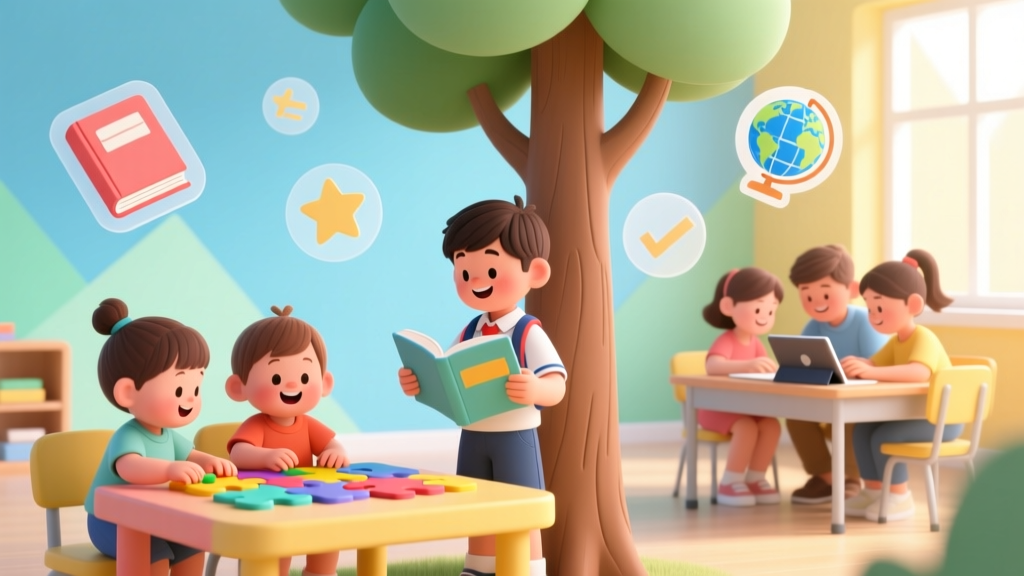
What Is Technology for Kids? Beyond Screens (2026)
Why 'What Is Technology for Kids?' Isn’t Just About Tablets Anymore
When parents ask what is technology for kids, they’re rarely just curious about Wi-Fi passwords or app icons—they’re wrestling with deeper questions: Is my 4-year-old ‘ready’ for coding? Does using a robot toy actually build skills—or just mimic play? And why do pediatric guidelines seem to contradict every STEM toy ad I see? The truth is, what is technology for kids has radically evolved beyond screens and software. It’s now a developmental lens: a way to cultivate computational thinking, ethical decision-making, creative problem-solving, and embodied interaction with systems—from wind-up gears to AI-powered storytelling tools. With 87% of U.S. kindergarteners now exposed to some form of classroom tech (National Center for Education Statistics, 2023), and AAP updating its media guidance to emphasize intentionality over duration, understanding this concept isn’t optional—it’s foundational parenting infrastructure.
Technology for Kids ≠ Screen Time: Redefining the Core Concept
Let’s start by dismantling the biggest misconception head-on: technology for kids is not synonymous with digital devices. According to Dr. Jenny Radesky, developmental behavioral pediatrician and lead author of the American Academy of Pediatrics’ 2016 and 2023 media policy statements, “Technology includes any human-made tool that extends capability—whether it’s a magnifying glass, a pulley system, or a micro:bit. What matters isn’t the device, but the child’s agency in using it to observe, test, design, or communicate.” This reframing shifts our focus from passive consumption (watching videos) to active construction (building circuits, programming robots, designing prototypes). Consider 6-year-old Maya from Austin, who used Makey Makey kits to turn bananas into piano keys—not to ‘learn coding,’ but to explore cause-and-effect, physical conductivity, and musical pitch through tactile experimentation. Her teacher reported a 40% increase in her use of hypothesis language (“What if I connect two bananas?”) during science units. That’s technology in action: low-tech materials + high-think scaffolding.
This definition also explains why Montessori classrooms integrate wooden gear sets alongside tablet-based math apps—and why Reggio Emilia schools treat cardboard boxes, tape, and motion sensors as equal parts of their ‘technology curriculum.’ The common thread? All invite iteration, failure, and reflection. As Dr. Marina Umaschi Bers, Professor of Human Development & Computer Science at Tufts University and creator of the ScratchJr and KIBO robotics platforms, affirms: “If a child can’t explain *how* something works—or imagine how to change it—then it’s not technology education. It’s entertainment dressed as learning.”
Age-Appropriate Tech Literacy: From Sensor Play to Algorithmic Thinking
Technology for kids must be developmentally calibrated—not just for safety, but for cognitive readiness. The brain’s prefrontal cortex (responsible for planning, inhibition, and abstract reasoning) doesn’t fully mature until the mid-20s. So expecting a 5-year-old to grasp cloud storage or data privacy is like asking them to solve quadratic equations before mastering counting. Instead, we scaffold complexity across four evidence-based tiers:
- Ages 3–5: Sensorimotor Systems — Focus on tangible cause-and-effect: programmable floor robots (like Bee-Bot), light-up blocks with physical switches, or sound-mixing boards with knobs and sliders. No screens required. Goal: “I press → it moves/sounds/lights.”
- Ages 6–8: Sequencing & Debugging — Introduce block-based coding (ScratchJr, Code.org’s Course A), simple circuit kits (Snap Circuits Jr.), or story-driven robotics (LEGO WeDo 2.0). Goal: “I made a mistake—I can find where it broke and fix it.”
- Ages 9–11: Systems Thinking & Ethics — Move to text-based Python (via Trinket or Tynker), IoT projects (e.g., building a plant-watering sensor with Arduino), and discussions about bias in algorithms (e.g., “Why does this face-detection app misidentify darker skin tones?”). Goal: “This tool affects real people—how do I design it fairly?”
- Ages 12+: Creation & Critique — Open-source hardware (Raspberry Pi), AI model training (Teachable Machine), and digital citizenship deep dives (deepfakes, misinformation detection, open-data ethics). Goal: “I can build *and* question what I build.”
This progression mirrors Jean Piaget’s stages of cognitive development—and is validated by longitudinal studies from the MIT Media Lab’s Lifelong Kindergarten Group, which found children who engaged in scaffolded, project-based tech activities from age 5 showed significantly higher persistence in STEM coursework through high school.
The Hidden Curriculum: What Kids Learn When They *Make* Tech (Not Just Use It)
When we reduce technology for kids to ‘using apps,’ we miss its most powerful developmental payload: the hidden curriculum of engineering mindset. A 2022 study published in Early Childhood Research Quarterly tracked 120 elementary students across 18 months and found those who built physical computing projects (e.g., programming a traffic-light system with LEDs and buttons) demonstrated measurable gains not just in coding syntax—but in executive function (planning, working memory), collaborative negotiation (‘How do we split tasks?’), and metacognition (‘Why did our code fail? What assumption was wrong?’).
Take the case of Mr. Lee’s 4th-grade class in Portland, OR. His students designed ‘smart backpacks’ using Arduino, ultrasonic sensors, and buzzers to alert wearers when items were left behind. The project required them to: sketch user journeys, prototype circuits on breadboards, debug wiring errors, present trade-offs (“We chose battery life over Bluetooth because charging stations are limited”), and field-test with younger students. Not one student mentioned ‘coding’ as the hardest part—the biggest challenge? Listening to feedback from 1st graders and redesigning the buzzer volume so it wasn’t startling. That’s social-emotional learning, embedded in tech.
This aligns with recommendations from the National Association for the Education of Young Children (NAEYC), which stresses that “technology experiences should strengthen—not replace—relationships, physical activity, creative expression, and hands-on exploration.” In practice, that means choosing tools where the child’s body is involved (gestural interfaces, wearable sensors, robotic arms), where collaboration is required (pair programming, shared builds), and where failure is visible, tangible, and fixable—not buried in error messages.
Choosing Tools That Build, Not Just Entertain: A Safety & Developmental Guide
With over 20,000 ‘educational’ tech products flooding the market, how do you spot the ones grounded in developmental science—not marketing hype? Look past flashy claims and examine three pillars: pedagogical transparency (does the company publish learning outcomes tied to research?), material integrity (are plastics BPA-free? Are batteries accessible and replaceable?), and design sovereignty (can the child modify, extend, or repurpose the tool—or is it a closed ‘black box’?).
| Age Range | Recommended Tech Tools | Key Developmental Goals | Safety & Supervision Notes |
|---|---|---|---|
| 3–5 years | Bee-Bot, Osmo Little Coders, Magna-Tiles with LED panels, Tegu magnetic blocks | Motor planning, symbolic representation (arrow = direction), cause-effect reasoning | Zero small parts; all materials ASTM F963 certified; screen-free preferred; adult co-play strongly encouraged for language modeling |
| 6–8 years | LEGO Education WeDo 2.0, Makey Makey Classic, Circuit Cubes, ScratchJr (tablet only with 20-min/day limit) | Sequencing logic, debugging resilience, collaborative prototyping | Choking hazard check per CPSC guidelines; avoid Wi-Fi-enabled toys without parental controls; always supervise first 3 build sessions |
| 9–11 years | Raspberry Pi Pico, Arduino Starter Kit, Micro:bit v2, Tinkercad Circuits (browser-based) | Abstraction (variables, loops), systems integration, ethical design reflection | Electrical safety instruction mandatory; use UL-certified power supplies; require adult review before connecting to home network |
| 12+ years | Raspberry Pi 5, ESP32 development boards, GitHub student pack, Runway ML (AI video tools) | Open-source contribution, algorithmic bias analysis, digital portfolio building | Privacy settings audit required; discuss data ownership; co-review terms of service for AI tools; establish ‘no personal data’ project boundaries |
Frequently Asked Questions
Is screen time always bad for young kids?
No—quality and context matter more than minutes. The AAP clarifies that co-viewing (watching together while discussing, pausing to ask questions) transforms passive viewing into interactive learning. For example, watching a short video about how bridges hold weight—then building one with popsicle sticks and testing load capacity—is pedagogically rich. But solo, unguided scrolling? That displaces crucial play, sleep, and face-to-face interaction. Aim for purposeful pauses: “Let’s watch 3 minutes, then build what we saw.”
Can preschoolers really learn coding concepts?
Absolutely—but not with syntax. At ages 4–5, ‘coding’ means sequencing steps (e.g., “First I put the red block, then the blue block, then the green block to make a pattern”) and debugging (“My robot went the wrong way—did I press the arrows in the right order?”). Research from the University of Washington shows preschoolers using KIBO robots improved pattern recognition by 62% vs. control groups after 12 weeks. The goal isn’t writing Python—it’s building mental models of process, order, and consequence.
What’s the difference between ‘tech toys’ and ‘educational technology’?
It’s the difference between a toy that *uses* technology (e.g., a talking doll with pre-recorded phrases) and technology that *invites creation* (e.g., a programmable robot you design behaviors for). Educational technology empowers the child as author, engineer, or designer—not just consumer. Ask: “Can my child change how this works? Can they explain why it works that way? Can they teach someone else to use it?” If the answer is ‘no’ to all three, it’s likely edutainment—not education.
How much tech is too much—even if it’s ‘educational’?
There’s no universal number—but there are guardrails. The NAEYC advises that tech use should never displace: 1) 60+ minutes of daily unstructured outdoor play, 2) uninterrupted caregiver-child conversation time, or 3) hands-on sensory exploration (clay, water, sand). A practical rule: for every 15 minutes of tech engagement, schedule 30 minutes of non-digital making or movement. Also, prioritize tools that require physical manipulation (wiring, snapping, building) over touch-only interfaces.
Do I need to understand coding to support my child’s tech learning?
No—you need curiosity, not credentials. Your role is to ask open-ended questions: “What happens if you change this block?” “How could you make it do something new?” “What part is tricky—and what’s one small thing we could try?” Stanford’s Project for Educational Research that Scales (PERTS) found parent-led inquiry doubled children’s persistence in tech challenges—even when parents had zero coding background. Your calm presence and willingness to say “Let’s figure this out together” is the most powerful tool in the kit.
Common Myths
Myth #1: “More screens = more learning.”
Reality: A landmark 2023 JAMA Pediatrics study of 2,400 toddlers found *no cognitive benefit* from screen-based ‘educational’ apps before age 2—and negative impacts on language development when used without adult mediation. Learning requires social contingency: back-and-forth exchange, responsive feedback, and embodied cues. Screens alone can’t provide that.
Myth #2: “Kids are ‘digital natives’—they’ll figure it out themselves.”
Reality: Being fluent in TikTok navigation ≠ understanding data privacy, algorithmic curation, or hardware troubleshooting. As Dr. danah boyd, founder of Data & Society, warns: “Nativity confuses access with literacy. A child who can swipe doesn’t know how recommendation engines shape their worldview—or how to resist them.” Tech fluency requires explicit, scaffolded instruction—just like reading or math.
Related Topics (Internal Link Suggestions)
- Best Coding Toys for Preschoolers — suggested anchor text: "age-appropriate coding toys for 3- to 5-year-olds"
- Screen Time Guidelines by Age — suggested anchor text: "AAP-recommended screen time limits for toddlers through tweens"
- STEM Activities Without Screens — suggested anchor text: "hands-on STEM learning ideas that build tech thinking offline"
- How to Talk to Kids About Online Safety — suggested anchor text: "age-by-age digital citizenship conversations"
- Robotics Kits for Elementary Students — suggested anchor text: "best beginner robotics kits for grades 1–5"
Your Next Step: Start Small, Think Big
You don’t need a $300 robotics kit to begin exploring what technology for kids truly means. This week, try one intentional experiment: replace 10 minutes of passive screen time with a tangible tech moment. Snap together a simple circuit with a battery, wire, and LED. Program a Bee-Bot to navigate a paper map of your neighborhood. Or even better—ask your child, “What’s one thing you wish a machine could do to help our family? How would it work?” Then grab paper, tape, and cardboard, and build a prototype together. That’s where real technology begins: not in the device, but in the question, the attempt, and the shared ‘aha’ when the light blinks—or the robot turns left instead of right. Because ultimately, what is technology for kids is this: the joyful, messy, deeply human practice of shaping the world—starting with a single, curious ‘what if?’
More Articles
 Simple Math Games for Preschoolers
 What Did Elon Musk Invent as a Kid? Truth & STEM Tips
 Unplugged Coding Games for Kids: 10 Screen-Free Activities
 Simple Machines for Kids: 10 Hands-On Physics Experiments
 Minecraft for Kids: STEM Learning & Resilience (2026)
 STEM Platforms K-8: Teach vs Indoor Data Comparison
 Math Board Games That Actually Teach
 What Is a Scientist for Kids? (2026)
 What Is a Tsunami for Kids? Simple, Safe Facts (2026)
 20 Award-Winning Science Fair Projects for Elementary