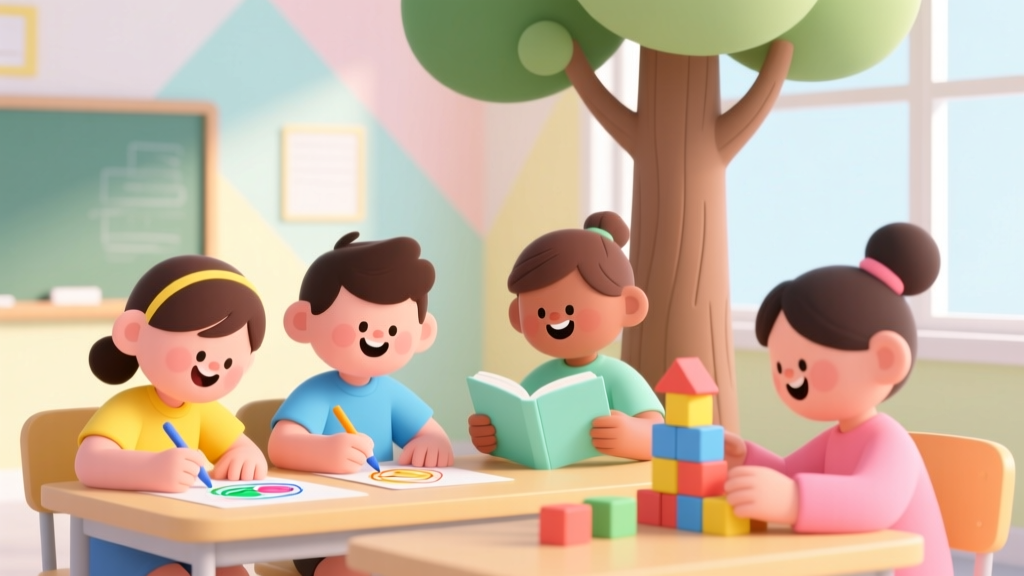
How Technology Helps Kids: Evidence-Based Benefits
Why This Question Matters More Than Ever
How has technology been helpful for kids? That question isn’t rhetorical—it’s urgent. With 98% of U.S. households with children under 8 owning a mobile device (Common Sense Media, 2023), parents and educators are no longer debating *if* kids will use tech—but *how well* it serves their growth. The truth? When aligned with developmental science—not just novelty or convenience—technology transforms from passive entertainment into a scaffold for critical thinking, empathy, and self-efficacy. This isn’t about screen time quotas; it’s about intentionality, design quality, and adult co-engagement. Let’s move past the ‘digital panic’ and explore what actually works—and why.
1. Accelerating Literacy Through Adaptive, Personalized Learning
Forget one-size-fits-all phonics worksheets. Today’s best literacy apps—like Headsprout, Lexia Core5, and Reading Eggs—use AI-driven assessment to adjust difficulty in real time, targeting each child’s zone of proximal development. A 2022 randomized controlled trial published in Early Childhood Research Quarterly found that kindergarten students using adaptive reading software for just 20 minutes, three times weekly, gained 4.2 months of reading proficiency over peers in traditional instruction—especially those with dyslexic tendencies or language delays. Why? These tools provide immediate corrective feedback, multisensory reinforcement (visual + auditory + kinesthetic), and zero social stigma for repetition.
But here’s the crucial nuance: effectiveness hinges on *co-use*. According to Dr. Jenny Radesky, pediatrician and lead author of the American Academy of Pediatrics’ (AAP) 2023 media guidelines, “Tech doesn’t replace human scaffolding—it extends it. When a parent points to a word on screen and asks, ‘What sound does this letter make?’ or pauses to predict story outcomes together, the app becomes a conversation catalyst—not a babysitter.”
Try this: Use “Pause & Predict” as a daily habit. After every 2–3 minutes of an educational video or interactive story, hit pause and ask: “What do you think happens next?” or “How would you solve this character’s problem?” This simple act doubles retention and builds narrative reasoning—the bedrock of both literacy and critical thinking.
2. Making Coding Tangible—From Blocks to Real-World Robots
STEM learning used to mean abstract equations at age 12. Now, kindergarteners program robots. Tools like Code.org’s Pre-Reader Course, Botley 2.0, and Lego Education SPIKE Essential turn computational thinking into physical play. Children aren’t just clicking buttons—they’re decomposing problems (“How do I get the robot to draw a square?”), testing sequences, debugging failures (“Why did it turn too far?”), and iterating solutions. This mirrors the exact process engineers use—and builds resilience far beyond math class.
Take Oakwood Elementary in Austin, TX: After integrating 30 minutes/week of unplugged coding games (e.g., “Robot Obstacle Course” with verbal commands) and 20 minutes of block-based programming, their third-grade cohort saw a 37% increase in standardized logic-and-pattern assessment scores within one semester. More telling? Teachers reported improved focus during non-tech tasks—students applied the same ‘test → observe → revise’ mindset to science experiments and group projects.
Pro tip: Start offline. Try the “Human Algorithm Game”: One child is the ‘robot,’ another the ‘programmer.’ The programmer gives step-by-step instructions (e.g., “Take 3 steps forward, turn right, pick up the red block”) to complete a task. No screens, all logic—and zero frustration when the ‘robot’ misinterprets ‘turn right’ as ‘spin wildly.’
3. Supporting Neurodiverse Learners with Precision & Dignity
For children with ADHD, autism, dyspraxia, or anxiety, technology isn’t a luxury—it’s often an accessibility lifeline. Speech-to-text tools (Google Docs Voice Typing, Dragon Anywhere) reduce writing fatigue for kids with motor challenges. Visual scheduling apps (Choiceworks, First Then Visual Schedule) provide predictable structure, lowering transition-related meltdowns by up to 60% in clinical settings (Journal of Autism and Developmental Disorders, 2021). And emotion-regulation apps like Breathe, Think, Do with Sesame teach co-regulation through animated modeling—not lectures.
Crucially, these tools succeed only when paired with adult understanding. As Dr. Temple Grandin, autism researcher and advocate, reminds us: “Technology should amplify strengths—not mask differences. A child who types fluently but struggles with handwriting isn’t ‘deficient’; they’re neurologically different. The tool honors that difference while building competence.”
Red flag to avoid: Apps promising to ‘fix’ neurodivergence. Instead, seek those designed *with* neurodiverse communities—look for advisory boards including autistic self-advocates or occupational therapists specializing in sensory integration.
4. Fostering Global Empathy Through Authentic Connection
Remember pen pals? Today’s version is Empatico—a free, teacher-vetted platform connecting classrooms across 42 countries for live, moderated video exchanges on themes like “Water in Our Lives” or “Celebrations Around the World.” Unlike passive video consumption, Empatico requires preparation (students research their partner country), active listening (using sentence stems like “I noticed…” and “I wonder…”), and collaborative creation (co-designing a digital poster or shared story). A 2023 study by the University of Pennsylvania tracked 1,200 students aged 7–10: those using Empatico showed 2.8x greater growth in perspective-taking skills than control groups—and teachers observed measurable drops in biased language during classroom discussions.
This isn’t ‘global tourism.’ It’s relationship-building infrastructure. When Maya, age 9, in Nairobi shares how her family collects rainwater in jerrycans, and Leo, age 8, in Portland describes his school’s rain garden, abstraction dissolves. Climate change, water equity, cultural pride—these become human-scale, not textbook concepts.
Parent action step: Co-watch one Global Oneness Project short film (free, 5–12 mins, subtitled) with your child. Then ask: “What’s one thing this person needs that’s the same as what you need?” (Safety? Laughter? A place to learn?) That question builds bridges faster than any geography quiz.
| Technology Tool Category | Age-Appropriate Examples | Key Developmental Benefits | Evidence-Based Notes |
|---|---|---|---|
| Adaptive Literacy Platforms | Lexia Core5 (K–5), Epic! (K–6), Duolingo ABC (PreK–2) | Phonemic awareness, vocabulary expansion, comprehension monitoring, self-paced mastery | Lexia users show 2.3x greater growth in foundational reading skills vs. control groups (National Center on Improving Literacy, 2022) |
| Tangible Coding Kits | Botley 2.0 (5+), Lego SPIKE Essential (6+), Micro:bit (10+) | Sequencing logic, debugging persistence, spatial reasoning, collaborative problem-solving | Students using tangible robotics scored 31% higher on standardized spatial reasoning tests (MIT Early Childhood Action Group, 2023) |
| Neurodiversity Support Tools | Choiceworks (3+), Breathe, Think, Do (4+), Google Read&Write (6+) | Executive function support, emotional regulation, expressive communication, task initiation | Classrooms using visual schedules reduced off-task behavior by 52% (Journal of Positive Behavior Interventions, 2020) |
| Global Connection Platforms | Empatico (6–12), PenPal Schools (8–18), Skype a Scientist (all ages) | Perspective-taking, cultural humility, oral communication confidence, authentic inquiry skills | 94% of Empatico teachers report increased student empathy; 87% note improved classroom inclusivity (Empatico Impact Report, 2023) |
Frequently Asked Questions
Is screen time always harmful for young children?
No—quality and context matter more than duration alone. The AAP emphasizes that co-viewing (watching or playing alongside your child), content relevance (does it align with developmental goals?), and intentionality (is this serving a purpose—or just filling time?) are stronger predictors of impact than minutes logged. For example, 15 minutes of guided exploration on NASA’s Kids Club builds curiosity and vocabulary; 15 minutes of autoplay YouTube videos often fragments attention and displaces play. The key isn’t banning screens—it’s curating them like you’d curate books or toys.
Can technology help kids with learning disabilities?
Absolutely—and often more effectively than traditional methods. Text-to-speech tools level the playing field for dyslexic readers; speech-to-text removes barriers for children with dysgraphia or motor challenges; audiobooks maintain access to grade-level content while decoding skills develop. Crucially, many assistive technologies are now built into devices (iOS Accessibility features, Chromebook extensions) at no extra cost. Work with your child’s school team to identify tools covered under their IEP or 504 Plan—and always prioritize tools that build independence, not dependence.
What’s the biggest mistake parents make with kids’ tech use?
Assuming ‘educational’ = automatically beneficial. Many apps labeled ‘learning’ are thinly veiled ad platforms or reward systems that prioritize engagement over cognition (e.g., endless swiping without conceptual depth). Look for red flags: excessive rewards (stars, badges) disconnected from actual mastery; no opportunity for open-ended creation; or content that tracks and profiles children without COPPA-compliant safeguards. Trusted curation sources include Common Sense Media’s Learning Ratings, the Fred Rogers Center’s Framework for Quality Digital Media, and university-based reviews like those from the Joan Ganz Cooney Center.
How can I tell if an app is truly evidence-based?
Check for three things: (1) Research citations—does the developer link to peer-reviewed studies (not just testimonials)? (2) Transparency—do they name the learning theory behind the design (e.g., Vygotsky’s ZPD, Piaget’s stages)? (3) Expert involvement—are child development specialists, special educators, or speech-language pathologists listed on their advisory board? If it’s silent on all three, proceed with caution—even if it looks polished.
Common Myths
Myth 1: “More screen time = more learning.”
Reality: Cognitive overload is real. The brain consolidates learning during downtime—not constant input. Research shows diminishing returns after 20–30 minutes of focused digital learning for elementary-aged children. What matters is depth, not duration: one rich, co-engaged session builds more neural pathways than three fragmented ones.
Myth 2: “Tech replaces the need for hands-on play.”
Reality: The most powerful learning happens at the intersection. Example: After designing a virtual city in Minecraft: Education Edition, children sketch blueprints, build scale models with cardboard, and present proposals to ‘city council’ (their family). Tech sparks imagination; tactile materials ground it in physics, collaboration, and iteration.
Related Topics
- Best Coding Toys for 6-Year-Olds — suggested anchor text: "age-appropriate coding toys for early learners"
- Screen Time Guidelines by Age (AAP-Approved) — suggested anchor text: "pediatrician-recommended screen time limits"
- How to Choose Educational Apps That Actually Work — suggested anchor text: "evidence-based learning apps for kids"
- STEM Activities for Kids Without Screens — suggested anchor text: "hands-on STEM learning for children"
- Apps for Kids with ADHD and Autism — suggested anchor text: "neurodiversity-friendly learning tools"
Your Next Step Starts With One Intentional Choice
You don’t need to overhaul your home or classroom today. Pick one tool from this article—a literacy app, a coding kit, a global connection platform—and try it with your child or students for just 15 minutes this week. But do it differently: sit beside them, ask open questions (“What made you choose that block?”), notice their focus and frustration patterns, and reflect afterward (“What part felt easy? What part felt tricky—and why?”). That’s where technology stops being a device and starts becoming a dialogue. Because how has technology been helpful for kids? When guided by curiosity, compassion, and developmental wisdom—it helps them discover not just what they can do, but who they’re becoming.
More Articles
 Evidence-Based Parenting Tips for First-Time Parents
 Robotics Kits for Beginners: Learn Coding (2026)
 Fun Gravity Experiments for Kids (2026)
 How to Teach Fractions Using Cooking and Baking (2026)
 Robotics for Beginners: A Kids' Guide
 What Is an Inference for Kids? 5 Playful Ways to Teach It
 How to Talk About Ice With Kids (2026)
 Chrono Cross Steal Characters Serge Secret Ability
 How Questions for Kids That Build Critical Thinking
 STEM Learning Platforms for K-12 Educators