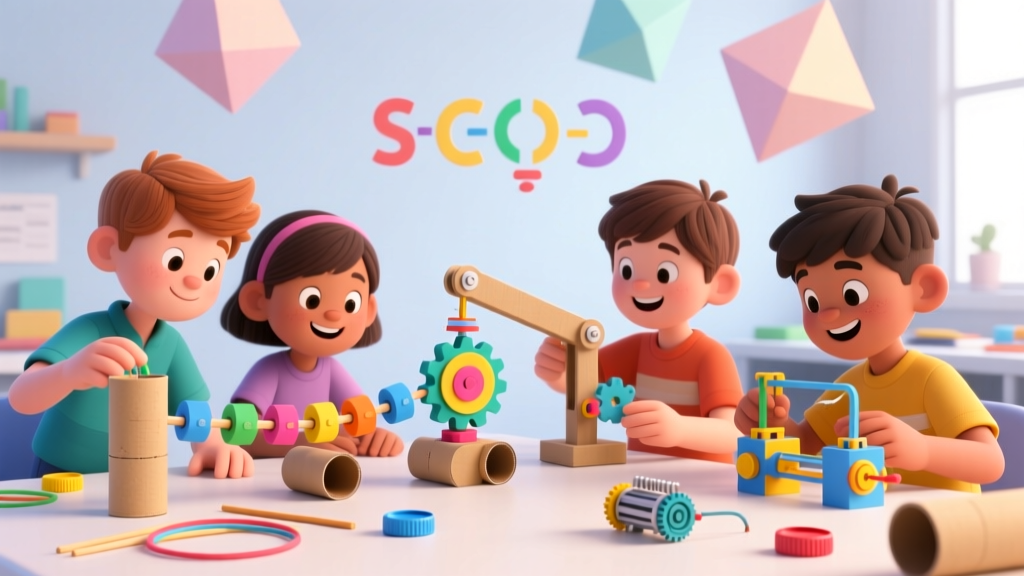
Screen-Free Robotics for Kids: 10 Coding Logic Projects
Why Screen-Free Robotics Matters
In 2025, the American Academy of Pediatrics recommended that children under 8 spend no more than 30 minutes per day on screens for educational purposes. Yet most "coding for kids" programs are screen-heavy apps.
Screen-free robotics solves this by teaching computational thinking — the mental toolkit behind all programming — through physical, tactile projects. Research from Tufts University's DevTech Research Group shows that unplugged coding activities:
- Improve sequencing skills by 43% in children ages 4-7
- Build persistence and debugging resilience (kids try 2.3x more times before giving up)
- Transfer to math problem-solving within 4 weeks
- Work equally well across socioeconomic backgrounds (no expensive kits required)
📚 Computational Thinking: The 4 Pillars
- Decomposition: Breaking big problems into small steps
- Pattern Recognition: Finding similarities between problems
- Abstraction: Focusing on what matters, ignoring what doesn't
- Algorithm Design: Creating step-by-step solutions
10 Screen-Free Robotics Projects
1. The Human Robot (Ages 4-7)
Coding concept: Sequencing, precise instructions
Materials: Blindfold, household objects
How it works: One child is the "robot" (blindfolded). Another is the "programmer" who gives exact verbal commands: "Step forward 2 steps. Turn left 90 degrees. Pick up the cup." The robot follows instructions literally — if the programmer says "go forward" without specifying distance, the robot walks until hitting something.
Learning moment: Kids discover that computers (and robots) need exact instructions. "Walk to the table" is vague; "Take 4 steps forward" is precise.
2. Grid Paper Coding (Ages 5-9)
Coding concept: Algorithms, coordinate systems
Materials: Graph paper, pencil, small toy figure
How it works: Draw a grid on paper. Place a toy at the start and a "treasure" at the end, with obstacles in between. Kids write arrow commands (↑ ↓ ← →) to navigate the figure to the treasure. Then they "run" the program by moving the toy step by step.
Level up: Add loops — "↑ x3" means "go up 3 squares" instead of writing three arrows.
3. PB&J Algorithm (Ages 5-10)
Coding concept: Algorithm precision, debugging
Materials: Bread, peanut butter (or alternative), jelly, knife, plate
How it works: Kids write step-by-step instructions for making a PB&J sandwich. Then YOU (the parent) follow their instructions exactly and literally. If they say "put peanut butter on the bread," you place the entire jar on the loaf. If they forget to say "open the jar," you try to spread the closed jar.
Learning moment: This is the single best exercise for teaching debugging. Kids learn that every assumption must be explicit.
4. Cup Stacking Algorithms (Ages 4-8)
Coding concept: Functions, sequences
Materials: 6-10 plastic cups
How it works: Create a target cup stack design. Kids write the "code" using symbols: ↑ (pick up), ↓ (put down), → (move right), ← (move left). Another kid (or parent) "executes" the code by stacking cups accordingly.
Level up: Create reusable "functions" — a subroutine like "make-tower" that means "stack 3 cups." Call the function instead of writing out all steps.
5. Sorting Network (Ages 6-12)
Coding concept: Sorting algorithms, parallel processing
Materials: Chalk, 6 children (or use stuffed animals + yourself)
How it works: Draw a sorting network on the ground with chalk (search "6-input sorting network diagram"). Each child stands at an input holding a numbered card. At each comparison node, two children compare their numbers and the smaller one goes left, larger goes right. By the end, they emerge sorted.
Learning moment: This demonstrates how computers sort data — and that parallel comparisons can speed things up.
6. Binary Necklace (Ages 6-10)
Coding concept: Binary numbers, data representation
Materials: Two colors of beads (e.g., red = 1, white = 0), string
How it works: Teach kids that computers use 1s and 0s. Show the binary representation of the first letter of their name (e.g., 'A' = 01000001 in ASCII). Have them string a necklace with the corresponding bead pattern. They've just encoded data the same way computers do.
7. Cardboard Automata (Ages 7-12)
Coding concept: Mechanical logic, input/output
Materials: Cardboard box, skewers, cardboard circles, glue
How it works: Build a simple cam mechanism: a skewer through a cardboard box with an off-center circle (cam) attached. When you turn the skewer, a figure on top moves up and down. This is a physical "if-then" — IF cam rotates, THEN figure moves.
Level up: Add multiple cams to create complex movements. Design characters that wave, jump, or dance.
8. Maze Debugging (Ages 5-9)
Coding concept: Debugging, testing
Materials: Paper, pencil, toy figure, tape (for floor maze)
How it works: Create a maze and write a set of arrow instructions that supposedly solve it — but include 2-3 bugs. Kids must "run" the program (move the toy), find where it goes wrong, and fix the instructions. Emphasize that bugs are normal, not failures.
9. If-Then-Else Dance Party (Ages 4-8)
Coding concept: Conditionals (if/then/else)
Materials: Music player, colored cards
How it works: Assign actions to conditions: "IF I hold up a red card, THEN jump. ELSE spin." "IF the song is fast, THEN run in place. ELSE walk slowly." Play music and hold up cards — kids execute the appropriate conditional branches.
Level up: Add nested conditions: "IF red card AND it's a fast song, THEN do jumping jacks."
10. Lego Robot Instructions (Ages 6-11)
Coding concept: Modular programming, testing
Materials: Lego bricks (assorted), paper for instructions
How it works: Build a simple Lego structure. Write step-by-step building instructions (like a real Lego manual, but with your own notation). Give the instructions and a pile of bricks to another person — can they recreate your build from your "code" alone? If not, debug your instructions.
Project Comparison
| Project | Age | Concept | Time | Materials Cost |
|---|---|---|---|---|
| Human Robot | 4-7 | Sequencing | 15 min | $0 |
| Grid Paper Coding | 5-9 | Algorithms | 20 min | $0 |
| PB&J Algorithm | 5-10 | Debugging | 20 min | $3 |
| Cup Stacking | 4-8 | Functions | 15 min | $2 |
| Sorting Network | 6-12 | Sorting | 30 min | $0 |
| Binary Necklace | 6-10 | Binary | 25 min | $5 |
| Cardboard Automata | 7-12 | Mechanical Logic | 45 min | $0 |
| Maze Debugging | 5-9 | Testing | 20 min | $0 |
| If-Then-Else Dance | 4-8 | Conditionals | 15 min | $0 |
| Lego Instructions | 6-11 | Modular Code | 30 min | $0 (if you have Lego) |
Building a Screen-Free Coding Curriculum at Home
These projects aren't one-offs — they build on each other. Here's a 4-week progression:
- Week 1 (Sequencing): Human Robot → Grid Paper Coding → Cup Stacking
- Week 2 (Precision & Debugging): PB&J Algorithm → Maze Debugging → Lego Instructions
- Week 3 (Logic & Conditionals): If-Then-Else Dance → Sorting Network → Binary Necklace
- Week 4 (Synthesis): Cardboard Automata + kids design their own project combining multiple concepts
Each session should be 20-30 minutes. Stop while kids are still engaged — never push past the fun. The goal is building a positive association with problem-solving.
Frequently Asked Questions
Do I need any coding knowledge myself to lead these activities?
No. Each project explains the concept in plain language. If you can follow a recipe, you can lead these activities. The concepts are intuitive once you see them in action — and kids often grasp them faster than adults.
What age is too young for computational thinking?
Research shows children as young as 4 can understand sequencing and basic conditionals. The Human Robot and Cup Stacking projects are specifically designed for preschoolers. Adjust complexity, not the concept.
How do these skills transfer to actual programming later?
Studies from Code.org and Tufts University show that kids who do unplugged coding activities learn screen-based programming 40% faster when they eventually transition. The mental models — breaking problems down, testing, debugging — are identical.
Can these work in a classroom setting?
Absolutely. The Sorting Network needs 6 kids (perfect for a small group). The Human Robot and If-Then-Else Dance work with whole classes. Cup Stacking and Grid Paper Coding are great for pairs.
My kid prefers screens — how do I make unplugged coding appealing?
Frame it as "hacking" or "secret agent training." Use their interests: if they love Minecraft, do Grid Paper Coding with Minecraft characters. If they love cooking, the PB&J Algorithm is a natural fit. The key is connecting to what they already love.
More Articles
 Mae Jemison Kids: Redefining STEM Success (2026)
 Build a DIY Weather Station With Kids
 Pandas for Kids: A Practical Guide (2026)
 What Is Technology for Kids? Beyond Screens (2026)
 Best STEM Learning Shows for Kids (2026)
 Moon Rocks for Kids: 5 Safe, Science-Backed Recipes
 12 Best Science Experiments for Kids at Home in 2026
 Is Minecraft Good for Kids? (2026)
 Parenting vs. DIY Kits: Better Early STEM Learning
 Kitchen Science Experiments for Kids