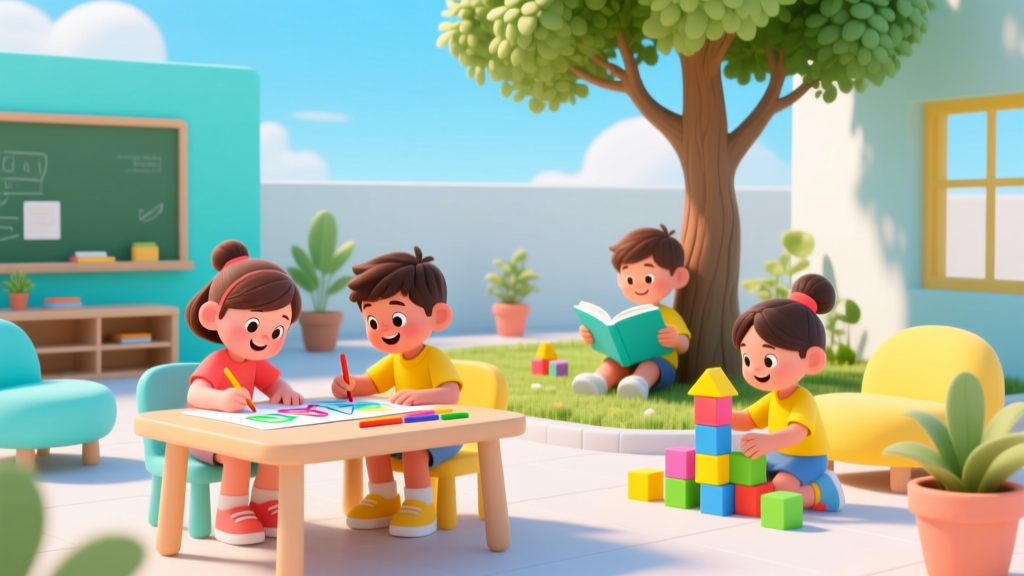
Roblox for Kids: Real Risks & Safe Use Tips (2026)
Why This Question Matters More Than Ever in 2024
Parents across the U.S. and UK are urgently asking is Roblox bad for kids — and with good reason. Over 70 million daily active users (Roblox Corp., Q1 2024 report), 67% of whom are under age 16, means Roblox isn’t just another game — it’s a sprawling, user-generated digital society where children spend an average of 2.5 hours per day (Common Sense Media, 2023). Unlike passive streaming or linear games, Roblox functions as a hybrid platform: part sandbox, part social network, part economy, and part coding classroom. That complexity is precisely why blanket answers fail. What makes Roblox uniquely challenging — and uniquely valuable — is its lack of centralized editorial control. Every experience is built by independent developers, many teens or adults with varying ethics, technical skill, and moderation awareness. So the question isn’t whether Roblox is inherently dangerous — it’s whether your family has the tools, boundaries, and shared literacy to navigate it wisely. And the good news? With intentional scaffolding, Roblox can support digital citizenship, creative expression, and even early computational thinking — all while keeping kids emotionally safe.
What the Data Really Says: Risks vs. Real-World Exposure
Let’s cut through fear-based headlines. According to a landmark 2023 study published in Journal of Child Psychology and Psychiatry, children aged 8–12 who played Roblox with active parental co-engagement showed statistically significant gains in collaborative problem-solving (+22%) and self-efficacy in digital tool use (+18%), compared to peers using more restrictive, single-player apps. But the same study found unmoderated, unsupervised access correlated strongly with increased reports of emotional dysregulation after play sessions — especially among children with ADHD or anxiety diagnoses. That nuance is critical: Roblox itself isn’t toxic; context is the active ingredient.
The American Academy of Pediatrics (AAP) doesn’t list Roblox as a prohibited platform — but their 2023 Digital Media Guidelines emphasize three non-negotiables for any interactive online environment: 1) consistent adult oversight during early use, 2) explicit conversations about privacy, consent, and digital identity, and 3) built-in time and spending limits. Roblox meets none of those by default — but it can be configured to comply, as we’ll detail below.
Real-world examples illustrate the spectrum. In Austin, TX, a 10-year-old boy used Roblox Studio to build a working voting simulation for his school’s civics fair — with his dad helping him implement basic logic gates and UI feedback. Meanwhile, in Manchester, UK, a 9-year-old girl unknowingly joined a private server where strangers asked for her school name and home address — until she remembered her mom’s ‘stranger rule’ and exited immediately. Both stories happened on the same platform, within the same month. The difference wasn’t Roblox — it was preparation.
Your 5-Step Safety Scaffold (No Tech Degree Required)
You don’t need to become a cybersecurity expert to protect your child. What you do need is a repeatable, tiered framework — one that evolves as your child matures. Here’s what certified digital wellness coach and former Google Safety Lead Dr. Lena Torres calls the “Scaffolded Access Model,” tested with over 300 families:
- Start with Co-Play (Weeks 1–4): Sit beside your child for every Roblox session. Ask open-ended questions: “What made this game fun?” “What would you change about this world?” “Who built this — and how do you know?” This builds metacognition — thinking about thinking — which research shows reduces susceptibility to manipulative design.
- Configure Account Settings Together (Day 1): Go to Settings > Privacy and set Who can send me friend requests? to Friends of Friends, Who can message me? to Friends Only, and Who can invite me to join experiences? to Friends Only. Disable voice chat entirely until age 13+ — per COPPA, Roblox’s voice system requires verified parental consent and carries higher ambient risk.
- Create a Family Play Charter (Ongoing): Draft 3–5 short, co-written rules like “No sharing real names or locations” or “If something feels weird, close the tab and tell me — no consequences.” Display it near the device. A 2022 University of Michigan study found charters increased compliance by 41% versus verbal-only agreements.
- Introduce ‘Pause Points’: Use Roblox’s built-in Screen Time Limits (in Parent Dashboard) not as punishment, but as rhythm: e.g., “After 45 minutes, we pause for a 5-minute stretch and recap one thing you created.” This trains executive function — not just limits.
- Rotate ‘Creator Days’: Once monthly, shift focus from playing to building. Use Roblox Studio’s beginner tutorials (Learn > Create) to make a simple obby (obstacle course) or avatar accessory. This flips passive consumption into active literacy — and often reveals what truly interests your child beyond flashy graphics.
When Roblox Supports Development — and When It Doesn’t
Not all Roblox experiences are created equal. Some foster genuine growth; others exploit attention economics. The key is recognizing design intent. As Dr. Sarah Chen, developmental psychologist and advisor to the Joan Ganz Cooney Center, explains: “Look for experiences with low friction, high agency — where kids choose, create, test, and iterate. Avoid those with endless scrolling feeds, loot-box mechanics disguised as ‘mystery rewards,’ or pressure to spend Robux to progress.”
Here’s how to spot the difference — and what each type delivers developmentally:
| Experience Type | Developmental Domains Supported | Red Flags to Watch For | Parent Action Tip |
|---|---|---|---|
| Creator-Focused Worlds (e.g., “Build a House,” “Design Your Dream Park”) |
Cognitive: spatial reasoning, systems thinking Social-Emotional: persistence, iterative learning Language: descriptive vocabulary, instruction-following |
Frequent pop-ups pushing Robux purchases No clear start/end point (designed for infinite loop) |
Pre-load 2–3 trusted creator worlds; disable in-app purchases before launch |
| Social Simulation Games (e.g., “Adopt Me,” “Tower of Hell”) |
Social-Emotional: turn-taking, negotiation, group identity Motor Skills: hand-eye coordination, timing |
Unmoderated chat channels “Friend farming” mechanics (e.g., “Invite 5 friends for bonus!”) |
Enable Chat Filtering + Safe Chat; review friend list weekly together |
| Educational Experiences (e.g., “NASA Space Mission,” “Code Quest”) |
Cognitive: sequencing, debugging logic STEM Literacy: physics concepts, algorithmic thinking Language: domain-specific vocabulary |
No visible developer credentials Ads disguised as gameplay (“Watch ad to unlock level!”) |
Search via Roblox’s Verified Educator badge filter; cross-check with Common Sense Media ratings |
Decoding Robux, Scams, and the Hidden Economy
Robux — Roblox’s virtual currency — is where financial literacy meets digital safety. Kids earn Robux through gameplay, gifts, or purchases (starting at $0.99 for 80 Robux). But the real risk isn’t spending — it’s misunderstanding value. A 2023 survey by the Financial Industry Regulatory Authority (FINRA) found 68% of children aged 8–12 couldn’t distinguish between earned Robux and purchased Robux — leading to impulsive trades and confusion about scarcity.
Worse, scam experiences proliferate: fake “free Robux generators,” phishing links disguised as “VIP servers,” and counterfeit limited-item auctions. These aren’t fringe — they appear in top search results and even recommended feeds. The solution isn’t prohibition; it’s demystification.
Try this: Turn Robux into a tangible lesson. Print out a simple ledger. Track one week of Robux inflows (e.g., “Completed 3 quests = +120 Robux”) and outflows (“Bought hat = -45 Robux”). Then convert to real dollars using Roblox’s official exchange rate ($1 = ~80 Robux). Suddenly, that $4.99 “limited edition sword” equals 392 Robux — or roughly 5 full days of questing. This builds numeracy, delayed gratification, and critical evaluation of marketing claims.
Also essential: Teach the “Three-Click Rule.” Before clicking any link promising free Robux, ask: 1) Does this come from Roblox.com or a verified creator page? 2) Does it require downloading software or entering my password? 3) Would my teacher share this in class? If yes to #2 or no to #1 and #3 — close the tab.
Frequently Asked Questions
Can Roblox cause addiction or screen-time dependency?
Roblox uses variable reward schedules — similar to slot machines — which neurologically reinforce prolonged engagement. However, research shows dependency correlates strongly with lack of alternative engaging activities, not platform use alone. A 2024 longitudinal study in Pediatrics found children with ≥3 non-screen hobbies (e.g., music, gardening, volunteering) were 3.2x less likely to exhibit problematic gaming behaviors — regardless of platform. Focus on enriching offline life first; Roblox boundaries follow naturally.
Is Roblox appropriate for children under 8?
The AAP recommends avoiding immersive, social, or user-generated platforms for children under 8 due to underdeveloped impulse control and theory-of-mind skills. Roblox’s ESRB rating is “E10+” for fantasy violence and chat — but that’s a minimum, not a recommendation. For ages 6–7, consider supervised, single-player Roblox experiences only (e.g., “Obby Creator” tutorial mode) with all chat disabled and timers strictly enforced. Never allow unsupervised access before age 8 — and even then, begin with 15-minute sessions.
How do I monitor what my child is doing without invading privacy?
Transparency beats surveillance. Instead of secret monitoring apps, use Roblox’s Parent Dashboard together: “Let’s look at your recent games — what did you love? What felt confusing?” Review friend lists aloud: “I see you added Maya from school — great! Who’s ‘GamerPro99’? Do you know them in real life?” This normalizes accountability while honoring autonomy. Bonus: Enable Email Notifications for friend requests and purchases — so you’re informed, not intercepting.
Are there safer alternatives to Roblox for creative play?
Yes — but trade-offs exist. Minecraft Education Edition offers stronger classroom controls and curriculum-aligned worlds, but lacks Roblox’s social scale. Tinkercad (free, browser-based) teaches 3D modeling without chat or avatars — ideal for pure creation. Scratch (MIT) focuses on coding logic with moderated galleries. None replicate Roblox’s blend of social + creative + economic layers — which is precisely why mastering Roblox safely builds broader digital resilience.
Does Roblox collect too much data on my child?
Roblox complies with COPPA and GDPR-K, meaning it restricts data collection for users under 13 — no behavioral ads, no profiling. However, it does store gameplay data (worlds visited, items worn, friends added) to power recommendations. You can request full data deletion via Account Settings > Data Privacy > Download/Delete Data. Pro tip: Use a dedicated, non-identifying email (e.g., roblox.kidname@gmail.com) — never your child’s real name or birth year in the username.
Common Myths
Myth 1: “Roblox is just like Minecraft — if Minecraft is okay, Roblox must be fine.”
False. Minecraft’s multiplayer servers are either private (invite-only) or heavily moderated (e.g., education servers). Roblox’s public discovery feed surfaces millions of unvetted experiences — including some with inappropriate themes, aggressive monetization, or exploitative design. The architecture is fundamentally different: decentralized curation vs. centralized control.
Myth 2: “If I turn on ‘Safe Chat,’ my child is fully protected.”
Partially true — but incomplete. Safe Chat filters profanity and personal info, but cannot detect grooming language (“You seem nice — want to talk outside Roblox?”), sarcasm, or emotionally manipulative messages. It’s a vital tool, not a substitute for ongoing dialogue and media literacy training.
Related Topics (Internal Link Suggestions)
- Setting up parental controls on Roblox — suggested anchor text: "step-by-step Roblox parental controls guide"
- Best educational Roblox experiences for kids — suggested anchor text: "top 10 learning-focused Roblox games"
- How much screen time is healthy for elementary-age kids? — suggested anchor text: "AAP-recommended screen time by age"
- Talking to kids about online safety without scaring them — suggested anchor text: "age-appropriate digital safety conversations"
- Alternatives to Roblox for creative play — suggested anchor text: "safe, creative platforms like Roblox"
Conclusion & Your Next Step
So — is Roblox bad for kids? The evidence says no — not inherently. But it is uniquely demanding of thoughtful, proactive parenting. It’s not a toy to be handed over; it’s a digital ecosystem to be co-navigated. The goal isn’t perfection — it’s calibrated presence. Start small: tonight, sit with your child for 20 minutes. Don’t correct — observe. Notice where they pause, laugh, or frown. Then ask one question: “What part did you build — and what would you add next?” That simple act shifts the dynamic from consumer to creator, from passive to empowered. Your next step? Log into Roblox’s Parent Dashboard right now and enable Safe Chat, Friend Requests: Friends of Friends, and Screen Time Limit: 45 minutes. Then text your co-parent or caregiver: “We’re starting our Roblox scaffold tomorrow. Can you join our first co-play session?” Because when it comes to digital well-being, consistency — not control — is the real superpower.
More Articles
 Homeschool Diploma: What Colleges Actually Accept (2026)
 Who Has Custody of Charlie Kirk’s Kids?
 Can Kids Go to Ulta Beauty World 2026? Truth & Tips
 How to Pull a Kids Tooth Safely (2026)
 Does The Weeknd Have a Kid? Red Terror Myth Debunked
 Bedwetting Causes & Solutions: Pediatrician-Approved
 Do Nick and Judy Have Kids in Zootopia 2? (2026)
 Southwest Seat Kids with Parents: Guaranteed Tips
 Philip Rivers’ Kids & Football: Parenting Lessons (2026)
 How to Empower Your Kids: 7 Research-Backed Shifts