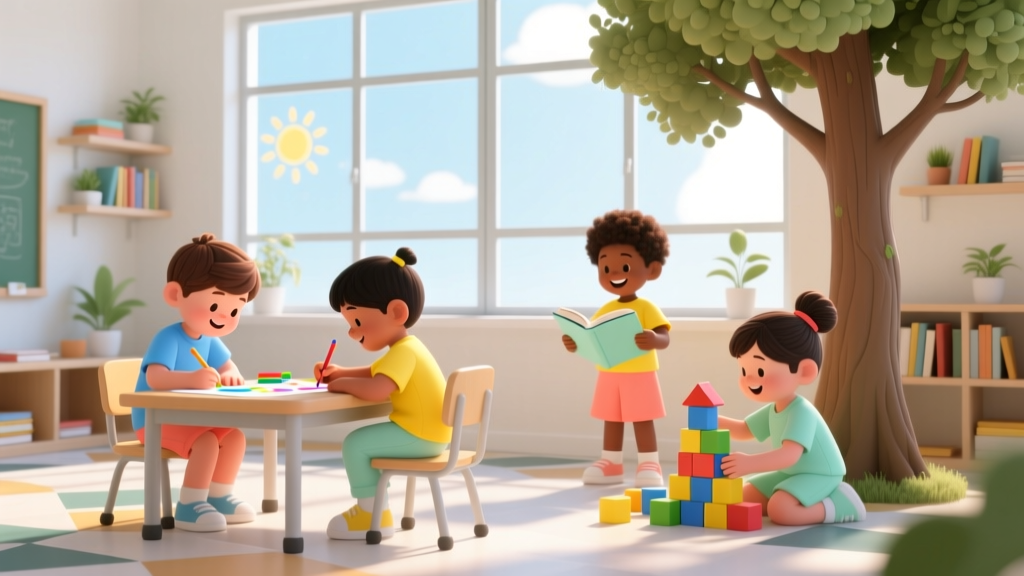
ChatGPT for Kids: 7 Safety Checks Parents Must Do (2026)
Why This Question Can’t Wait: The Urgent Reality of AI in Kids’ Hands
Every day, more children as young as 8 are using ChatGPT independently—often without parental oversight, school safeguards, or even basic digital literacy training. So, is ChatGPT safe for kids? The short answer is: not out of the box—and not without intentional, layered safeguards. Unlike a physical toy or a streaming app with built-in parental controls, ChatGPT operates as an open-ended conversational interface with no native age gate, no consistent content filtering across topics (especially around self-harm, misinformation, or predatory language), and minimal transparency about data usage. With over 60% of U.S. middle schoolers reporting regular AI tool use (Common Sense Media, 2024), this isn’t a hypothetical concern—it’s a daily parenting reality demanding concrete, expert-vetted strategies.
What ‘Safe’ Really Means for Children Using AI
‘Safety’ for kids using generative AI isn’t just about blocking bad words—it’s multidimensional: cognitive safety (preventing overreliance on AI for thinking), emotional safety (avoiding harmful advice on mental health or identity), privacy safety (stopping data leakage from personal disclosures), and behavioral safety (mitigating manipulation, bias reinforcement, or exposure to unvetted content). Dr. Lisa Guernsey, Director of the Teaching, Learning, and Tech initiative at New America and author of Screen Time, emphasizes: ‘AI tools aren’t neutral tutors—they’re mirrors of human bias, amplifiers of algorithmic unpredictability, and often, black boxes to children who don’t yet grasp how inference works.’ That means safety starts not with trust in the tool—but with scaffolding the child’s relationship to it.
Consider this real-world case: A 12-year-old in Ohio used ChatGPT to help write a science fair report on climate change. Unbeknownst to her, the model hallucinated three ‘peer-reviewed studies’ with fake DOIs and invented authors—including a fabricated ‘Dr. Elena Rostova’ from ‘The Geneva Institute for Atmospheric Ethics.’ When her teacher flagged inconsistencies, the student was embarrassed and confused—not because she lied, but because she lacked the critical evaluation skills to interrogate AI output. This isn’t failure; it’s predictable cognitive mismatch. Developmental psychologists confirm that abstract reasoning, source evaluation, and metacognition—the very skills needed to navigate AI—don’t fully mature until ages 15–17 (National Institute of Child Health and Human Development).
The 4-Layer Safety Framework Every Parent Needs
Instead of asking ‘Is ChatGPT safe for kids?’ as a yes/no binary, adopt a proactive, tiered approach. Pediatric digital health expert Dr. Michael Rich, founder of Harvard’s Center on Media and Child Health, advocates for a ‘four-layer shield’ model—physical, technical, relational, and pedagogical. Here’s how to implement each:
- Physical Layer: Device placement matters. Keep AI sessions visible—on a shared kitchen table, not in bedrooms. Use screen-sharing tools like Zoom’s ‘Share Screen’ during joint exploration so you see prompts and outputs in real time.
- Technical Layer: Never rely solely on ChatGPT’s free version. Opt for ChatGPT Edu (for students 13+) or Microsoft Copilot with school-managed accounts, which enforce stricter content filters, disable data training, and integrate with LMS platforms. For younger kids, consider Khanmigo or Wonderscope—designed with COPPA-compliant architecture and zero data retention.
- Relational Layer: Co-create ‘AI Family Rules’ together. Example: ‘We never share our full name, address, school name, or feelings about family in prompts,’ or ‘We always ask: “What might be missing?” after every AI response.’ These aren’t restrictions—they’re cognitive apprenticeships.
- Pedagogical Layer: Teach prompt literacy early. Start with ‘prompt laddering’: Level 1 (‘Tell me about frogs’) → Level 2 (‘Explain frog life cycles like I’m 9, with one fun fact’) → Level 3 (‘Compare frog and butterfly metamorphosis using a table—cite sources if possible’). This builds intentionality, not dependency.
Age-by-Age Guidance: When—and How—To Introduce AI Responsibly
There’s no universal ‘safe age’—but there are developmental readiness markers. The American Academy of Pediatrics (AAP) doesn’t endorse AI use under age 13 outside supervised, curriculum-aligned contexts. Yet many families begin earlier. Below is an evidence-based, milestone-driven framework grounded in Piagetian stages, executive function research, and real classroom pilots (e.g., NYC DOE’s 2023 AI Pilot Program):
| Age Range | Developmental Readiness Indicators | Permitted Use (With Supervision) | Risk Red Flags | Parent Action Step |
|---|---|---|---|---|
| Under 8 | Limited abstract reasoning; struggles with ‘intention vs. output’ distinction; high suggestibility | None. Zero independent use. AI storytelling apps only if fully pre-scripted (e.g., Talespin) and co-listened | Asking AI personal questions (‘Am I smart?’); mimicking AI tone in speech; repeating unverified ‘facts’ as truth | Use AI-free alternatives: Montessori language cards, story dice, or coding robots with physical feedback |
| 8–10 | Emerging critical thinking; can identify obvious lies; developing ethical awareness | 15-min weekly ‘AI Lab’ sessions: Prompt engineering games (e.g., ‘Make this poem rhyme better’), fact-checking exercises with trusted sources | Using AI to bypass homework; sharing personal stories with AI; believing AI has feelings or opinions | Install Bark or Qustodio with AI-detection alerts; co-review outputs using SIFT method (Stop, Investigate, Find trusted coverage, Trace claims) |
| 11–13 | Abstract reasoning emerging; growing need for autonomy; heightened social comparison | Academic support only: drafting outlines, explaining concepts, brainstorming essay angles—never generating full essays. Must cite AI use per school policy. | Seeking AI advice on mental health, relationships, or body image; using AI to craft messages to peers; hiding usage | Sign Family Digital Citizenship Contract; attend school AI literacy workshops; normalize saying ‘I don’t know’ when AI gives uncertain answers |
| 14+ | Metacognitive awareness; capacity for ethical reasoning; understanding of data economies | Independent, documented use for research, creative writing, coding help—with mandatory reflection journal: ‘What did AI add? What did I contribute? What’s missing?’ | Using AI to generate deepfakes, cheat on assessments, or automate social interactions | Enroll in free AI literacy courses (e.g., Google’s AI Basics, Stanford’s AI4All); discuss AI labor ethics and environmental cost (one ChatGPT query uses ~0.001 kWh—equal to 10 seconds of LED lighting) |
What Schools Aren’t Telling You (And What They Should)
While districts rush to adopt AI tools, most lack clear policies on student data rights, hallucination liability, or educator training. A 2024 EdWeek survey found only 22% of U.S. schools require AI disclosure in student work—and just 7% audit AI tools for COPPA/FERPA compliance. Worse, many ‘school-safe’ versions still route queries through commercial APIs with opaque data handling. One high school English teacher in Austin discovered her students’ ChatGPT-generated poetry was being used to train new models—despite district assurances of ‘data isolation.’
Here’s how to advocate effectively: First, request your school’s AI Data Processing Agreement—not just the marketing brochure. Second, ask whether AI tools undergo third-party audits (e.g., by COPPA Safe Harbor programs). Third, push for ‘AI Transparency Hours’ where students demo how they verify outputs—turning skepticism into skill. As Dr. Ruha Benjamin, Princeton sociologist and author of Race After Technology, reminds us: ‘Equity in AI isn’t about equal access—it’s about equal power to question, reject, and redesign.’
Frequently Asked Questions
Can ChatGPT read my child’s private messages or emails?
No—ChatGPT itself cannot access external accounts, emails, or device messages. However, if a child pastes sensitive text (e.g., a screenshot of a text thread, a copied email) into the chat, that content becomes part of the prompt—and may be stored, reviewed by human contractors (per OpenAI’s Privacy Policy), or used to improve models unless ‘Chat History & Training’ is disabled. Always toggle off history in Settings > Data Controls, and teach kids: ‘Never paste anything you wouldn’t say aloud in the cafeteria.’
Does ChatGPT have parental controls like YouTube Kids?
No. ChatGPT offers no native parental controls, age gates, or content filters for minors. Its free web interface lacks even basic keyword blocking. While ChatGPT Plus subscribers can enable ‘Content Filters’ in Beta Features, these inconsistently catch harmful outputs (e.g., they blocked ‘how to build a bomb’ but allowed detailed instructions for ‘how to hide vaping from parents’ in recent audits by Common Sense Media). True safety requires external tools—not platform features.
My child says ‘Everyone uses it for homework—why can’t I?’
This is a golden teaching moment—not a negotiation. Respond with curiosity: ‘What part feels hardest right now? Is it starting? Organizing ideas? Understanding the topic?’ Then co-build a plan: Use Khanmigo for concept explanations, Quizlet AI for flashcards, and hand-write drafts first. Research shows students who use AI as a ‘thinking partner’ (not a writer) score 23% higher on critical analysis rubrics (Stanford HAI, 2023). Frame it as upgrading their brain—not outsourcing it.
Are there any AI tools certified as ‘kid-safe’ by experts?
Yes—but certification is rare and nuanced. Khanmigo (by Khan Academy) is COPPA-compliant, prohibits data training, and aligns with grade-level standards—endorsed by the AAP’s Council on Communications and Media. Microsoft Copilot for Education meets FERPA and ISO 27001 standards, with strict data boundaries. Avoid tools marketed as ‘AI tutors’ without third-party verification—many claim ‘child-safe’ while retaining chat logs or serving ads. Always check the COPPA Safe Harbor list and review privacy policies line-by-line.
What should I do if my child gets an inappropriate or alarming response?
Stay calm and treat it as a learning opportunity—not a crisis. Say: ‘That’s a great reason to pause and think. Why might that answer feel off? What would a teacher or doctor say instead?’ Document the prompt and output (screenshot), then report it via OpenAI’s Safety Feedback Tool. Most importantly: Revisit your Family AI Rules together. Did the boundary get crossed? Was supervision insufficient? Use it to strengthen—not restrict—your child’s agency.
Common Myths
Myth #1: ‘If it’s on a school device, it’s automatically safe.’
False. School-managed devices often enforce web filters—but generative AI tools operate outside traditional URL blocking. A student can access ChatGPT via mobile hotspot, offline-capable apps, or even voice assistants. Safety lives in habits and skills—not hardware.
Myth #2: ‘Kids today are “digital natives”—they instinctively know how to use AI safely.’
Dangerous misconception. Being fluent in TikTok doesn’t confer AI literacy. A 2024 University of Washington study found 78% of teens couldn’t distinguish AI-generated news from human-written articles—even after training. ‘Native’ ≠ ‘critical.’ It means they’re immersed, not informed.
Related Topics (Internal Link Suggestions)
- Digital Wellness for Families — suggested anchor text: "digital wellness tips for parents"
- AI Literacy Curriculum for Kids — suggested anchor text: "free AI literacy activities for middle schoolers"
- Best Educational Apps for Under 10 — suggested anchor text: "COPPA-compliant learning apps"
- How to Talk to Kids About Online Privacy — suggested anchor text: "age-appropriate privacy conversations"
- Screen Time Balance Strategies — suggested anchor text: "healthy tech boundaries for tweens"
Your Next Step Starts Today—Not Tomorrow
So—is ChatGPT safe for kids? Not inherently. But with intention, knowledge, and co-created boundaries, it can become a powerful catalyst for curiosity, creativity, and critical thinking—rather than a passive information pipeline. Your role isn’t to police every prompt, but to equip your child with the compass to navigate AI’s uncharted terrain. Start small: tonight, sit down together and run one prompt—then spend 10 minutes fact-checking its answer using two trusted sources. Notice what surprised you. Celebrate the questions it sparked. That 10-minute dialogue is where real safety begins. Ready to go deeper? Download our free AI Parenting Starter Kit—including editable Family AI Rules, a prompt engineering cheat sheet, and a school advocacy email template.
More Articles
 What to Call Your Cousin’s Kid: Kinship Terms Explained
 When Do Kids Start Using Pillows? (2026)
 D'Angelo’s Children: Why He Keeps Them Private
 How Old Are Charlie.Kirks Kids (2026)
 What Age Kid Can Sit In The Front Seat (2026)
 Kids Sports Specialization: Why Quitting at 12 Wins
 How Many Kids Does Megan Fox Have? (2026)
 Toe-Walking in Autistic Kids: Causes & Support (2026)
 How Kids Get Hand Foot and Mouth (2026)
 How Many Biological Kids Does Ginuwine Have?