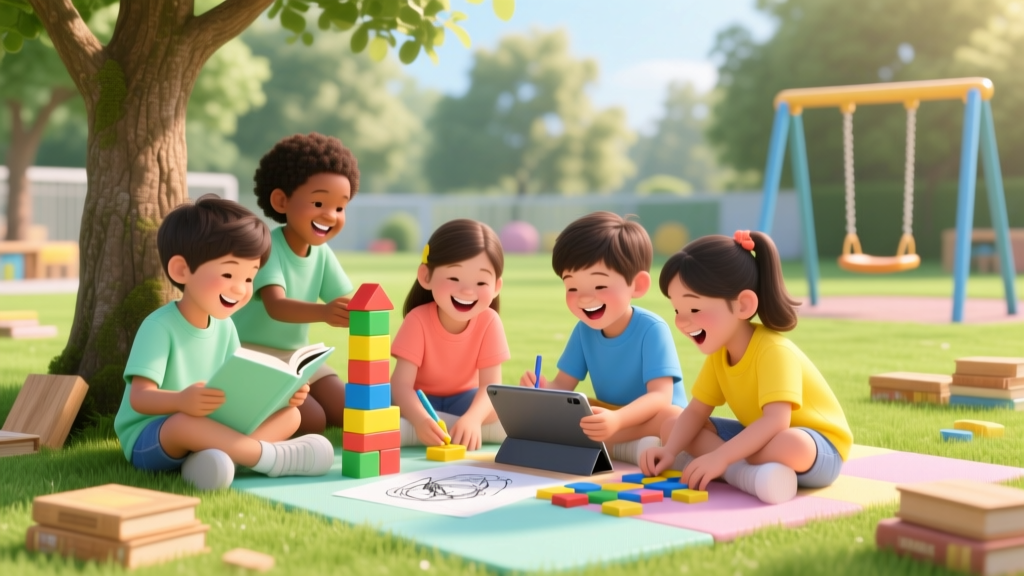
Tech Benefits for Kids Under 12 (2026)
Why This Question Matters More Than Ever — Right Now
How is technology beneficial to kids under 12 isn’t just a theoretical question — it’s the quiet hum beneath every parent’s screen-time negotiation, every teacher’s lesson-planning dilemma, and every pediatrician’s well-child visit. With 84% of U.S. children aged 3–11 owning or regularly using a tablet or smartphone (Pew Research, 2023), and schools increasingly embedding digital tools into core curricula, dismissing tech as ‘just distraction’ no longer serves our children — or our responsibility as caregivers. The real challenge isn’t whether technology has value; it’s discerning *which* technologies, *when*, *how long*, and *with what adult scaffolding* deliver measurable developmental benefits — not just engagement. This article cuts through fear-based headlines and marketing hype to spotlight what decades of child development research, classroom innovation, and clinical observation actually confirm: when aligned with developmental science, technology can be a powerful catalyst for growth — if used intentionally.
1. Cognitive Development: Beyond ‘Learning Apps’ — Building Executive Function & Metacognition
Most parents think of ‘educational apps’ when considering tech benefits — but the most profound cognitive gains for kids under 12 come not from passive consumption, but from tools that require planning, self-monitoring, and reflection. According to Dr. Stephanie M. Carlson, developmental psychologist and co-author of Bilingual Children’s Executive Functioning, ‘Digital environments that demand sequencing, debugging, and iterative testing — like block-based coding platforms or collaborative world-building games — activate prefrontal cortex networks more robustly than many traditional paper-and-pencil tasks.’
Take Scratch Jr. (ages 5–7) and Scratch (ages 8–12): these MIT-developed platforms don’t teach coding syntax — they teach computational thinking. A 2022 longitudinal study published in Early Childhood Research Quarterly tracked 214 first- and third-graders over 18 months. Those who engaged in weekly, 25-minute guided Scratch projects showed a 32% greater improvement in working memory tasks and a 27% faster response time on inhibitory control assessments (e.g., Stroop-like tasks) compared to peers using drill-and-practice math apps.
Real-world example: At Maplewood Elementary in Portland, Oregon, second-grade teacher Ms. Lin implemented a ‘Coding & Reflection Journal’ routine. Students built simple animations, then wrote (or dictated) answers to three prompts: ‘What did I try first?’, ‘What didn’t work — and why do I think that happened?’, and ‘What will I change next time?’ After one semester, 92% of students demonstrated improved use of metacognitive language in oral explanations — a key predictor of later academic resilience.
- Action Step: Replace one ‘app session’ per week with a 20-minute guided creation activity — not watching, but building, narrating, or remixing.
- Tool Tip: Use Book Creator (ages 6+) to let kids design interactive digital storybooks with audio narration, drawings, and hyperlinked glossaries — reinforcing literacy, sequencing, and multimodal expression.
- Guardrail: Co-view and co-reflect. Ask, ‘What part took the most thinking?’ not ‘Did you finish the level?’
2. Social-Emotional Learning (SEL): Fostering Empathy, Identity, and Inclusive Connection
Contrary to the myth that screens isolate, well-designed digital experiences can deepen social awareness — especially for neurodivergent, shy, or geographically isolated children. The American Academy of Pediatrics (AAP) 2022 Digital Media Guidelines explicitly endorse ‘co-engaged, purposeful digital interaction’ as a tool for SEL development when adults scaffold meaning-making.
Consider Minecraft: Education Edition. In a controlled study across 12 Title I schools, fourth- and fifth-grade classes used Minecraft to collaboratively build ‘Empathy Villages’ — each structure representing a different emotion (e.g., a ‘calm tower’ with blue lighting and soundscapes, a ‘frustration bridge’ with breakable blocks requiring teamwork to rebuild). Teachers facilitated debriefs using the RULER framework (Recognize, Understand, Label, Express, Regulate). Results showed a 41% increase in accurate emotion vocabulary use and a 38% decrease in peer-reported conflict incidents over 10 weeks.
For children with autism spectrum disorder (ASD), apps like Avaz (AAC) or Smile & Learn (social story platform) provide low-pressure rehearsal spaces. Dr. Connie Kasari, UCLA professor of human development and psychology, notes: ‘Video modeling and customizable social scripts reduce anxiety around unpredictable social cues — giving kids agency to practice, pause, and replay until they feel ready to generalize skills offline.’
Key insight: Benefit isn’t in the device — it’s in the *shared narrative space* tech creates. When a child uses a tablet to record a voice memo describing how their sibling felt after losing a game, then shares it with family during dinner, technology becomes an empathy amplifier.
3. Accessibility & Equity: Leveling the Playing Field for Diverse Learners
This may be technology’s most transformative — and under-discussed — benefit for kids under 12: its power to remove barriers. For children with dyslexia, ADHD, physical disabilities, or language delays, adaptive tech isn’t ‘extra’ — it’s essential infrastructure for participation.
Consider text-to-speech (TTS) and speech-to-text (STT) tools. A landmark 2023 study in Pediatrics followed 157 students with reading disabilities (ages 7–11) across 3 school districts. Those granted consistent access to embedded TTS in Google Docs and STT in writing assignments showed a 2.3x greater rate of grade-level reading fluency gain versus controls — and, critically, reported 64% higher self-efficacy scores on standardized motivation scales.
Similarly, Augmentative and Alternative Communication (AAC) devices like TouchChat or Proloquo2Go transform expressive potential. As speech-language pathologist Maria Gonzalez, CCC-SLP, explains: ‘For nonverbal or minimally verbal children, AAC isn’t about replacing speech — it’s about building neural pathways for language comprehension and symbolic representation. We see kids who hadn’t spoken a single word by age 5 begin combining symbols meaningfully within 3 months of consistent, joyful AAC use.’
Equity note: These tools are no longer niche or prohibitively expensive. Built-in OS features (iOS Voice Control, Chromebook Dictation, Windows Narrator) are free, privacy-respecting, and increasingly intuitive. The barrier isn’t cost — it’s awareness and implementation confidence among educators and parents.
4. Creative Expression & Multimodal Literacy: From Consumers to Confident Creators
Kids under 12 aren’t just absorbing media — they’re wired to reinterpret, remix, and reimagine it. Technology provides unprecedented scaffolds for this innate drive. The National Association for Media Literacy Education defines ‘multimodal literacy’ as the ability to compose, analyze, and ethically share across image, sound, movement, and text — a skill set vital for 21st-century communication.
Case in point: The ‘Stop-Motion Story Lab’ at Brooklyn’s PS 321. Third-graders used iPads and free apps like iMotion to create 60-second stop-motion films retelling folktales — but with self-written dialogue, original clay characters, and soundtracks composed in Chrome Music Lab. Teachers observed dramatic gains in narrative structure understanding (78% increase in use of ‘because,’ ‘so,’ and ‘then’ clauses) and sustained attention during revision cycles (average focus duration increased from 8 to 22 minutes).
Even younger children benefit: Kindergarteners using ChatterPix Kids to animate drawings and record explanations develop phonemic awareness, vocabulary breadth, and oral presentation confidence simultaneously. As early childhood educator and researcher Dr. Nell K. Duke emphasizes: ‘When kids narrate their own visual creations, they’re not just ‘talking about art’ — they’re practicing syntactic complexity, causal reasoning, and audience awareness in authentic, low-stakes contexts.’
| Technology Tool/Activity | Age Range | Primary Developmental Domain Supported | Evidence-Based Benefit | Key Scaffolding Needed |
|---|---|---|---|---|
| Scratch Jr. (coding) | 5–7 | Cognitive (Executive Function) | ↑ Working memory, sequencing, error analysis | Adult co-play; open-ended prompts (“Make your character solve a problem”) |
| Minecraft: Education Edition (collab builds) | 8–12 | Social-Emotional (Empathy & Collaboration) | ↑ Emotion vocabulary, perspective-taking, conflict resolution | Structured debriefs using SEL frameworks; clear group roles |
| Google Read&Write (TTS/STT) | 7–12 | Academic Access & Self-Efficacy | ↑ Reading fluency, writing output, motivation to engage | Explicit instruction on tool use; normalization in whole-class routines |
| iMovie/Clipchamp (video editing) | 9–12 | Creative Expression & Critical Thinking | ↑ Narrative coherence, visual rhetoric, ethical sourcing awareness | Media literacy mini-lessons; copyright-safe asset libraries |
| Book Creator (digital publishing) | 6–11 | Literacy & Identity Development | ↑ Genre awareness, authorial voice, multilingual expression | Choice in topic/language; celebration of diverse home languages |
Frequently Asked Questions
Is screen time always harmful for young children?
No — the AAP’s 2022 guidelines distinguish between passive screen time (e.g., background TV, autoplay videos) and active, co-engaged, purposeful use. High-quality, interactive, adult-supported experiences — especially those involving creation, collaboration, or problem-solving — demonstrate measurable developmental benefits. The critical factor isn’t duration alone, but context, content, and connection.
What’s the best age to introduce coding or robotics?
As early as age 4–5 with tangible, screen-free tools like Botley or Cubetto (physical programming robots), which build foundational sequencing and debugging logic. Screen-based block coding (Scratch Jr.) is developmentally appropriate starting around age 5–6, provided it’s done with adult co-participation and focuses on storytelling or problem-solving, not speed or completion.
How do I know if an app or game is truly educational — not just ‘edutainment’?
Look beyond marketing claims. Ask: Does it require active creation or decision-making? Does it adapt to the child’s responses (not just difficulty levels)? Does it encourage reflection or discussion? Does it align with recognized frameworks (e.g., ISTE Standards for Students, CASEL SEL competencies)? Trusted review sources include Common Sense Media (with educator reviews) and the Joan Ganz Cooney Center’s research reports.
My child has ADHD — can technology help with focus and organization?
Yes — when used strategically. Visual timers (Time Timer app), task-breakdown tools (Choiceworks), and voice-to-text for writing reduce executive load. Crucially, these tools must be taught explicitly and practiced consistently — not just handed to the child. Occupational therapists recommend pairing tech with external accountability (e.g., “You’ll tell me one thing you accomplished using the timer before snack”).
Are there risks I shouldn’t ignore — even with ‘beneficial’ tech?
Absolutely. Key risks include algorithmic manipulation (endless scroll, autoplay), data harvesting from child-directed apps (violating COPPA), and displacement of essential activities (sleep, unstructured play, face-to-face interaction). Always check for COPPA compliance, disable autoplay, use parental controls to enforce breaks, and prioritize tech that ends with a clear ‘stop point’ (e.g., a completed animation, shared story) rather than infinite loops.
Common Myths
Myth 1: “Technology stunts imagination.”
Reality: Research shows that children who engage in creative digital making (e.g., designing game levels, composing digital music, animating stories) demonstrate higher divergent thinking scores on Torrance Tests of Creative Thinking than peers engaged only in traditional arts. Tech expands the palette — it doesn’t replace the mind’s capacity to imagine.
Myth 2: “If it’s on a screen, it’s less valuable than hands-on play.”
Reality: The value lies in the cognitive and social processes, not the medium. Building a complex circuit in Tinkercad (3D circuit simulator) engages spatial reasoning, hypothesis testing, and systems thinking just as deeply — and often more accessibly — than physical electronics kits for children with fine motor challenges.
Related Topics (Internal Link Suggestions)
- Screen Time Guidelines by Age — suggested anchor text: "AAP-recommended screen time limits for toddlers, preschoolers, and elementary kids"
- Best Educational Apps for Kids Under 12 — suggested anchor text: "top-rated, research-backed learning apps for ages 4–11"
- Digital Citizenship for Elementary Students — suggested anchor text: "age-appropriate lessons on online safety, kindness, and critical thinking"
- STEM Toys That Actually Build Skills — suggested anchor text: "hands-on STEM kits with proven cognitive benefits for kids 5–12"
- How to Talk to Kids About Algorithms and Data — suggested anchor text: "simple, empowering conversations about how tech works"
Your Next Step: Start Small, Think Big
How is technology beneficial to kids under 12 isn’t answered with a blanket yes or no — it’s answered in the choices we make today: choosing a tool that invites creation over consumption, asking a reflective question instead of checking a box, or co-building a digital story instead of handing over a device. You don’t need to overhaul your routine. Pick one high-impact, low-effort shift this week: install Scratch Jr. and build a silly animation together; use your phone’s voice memos to record your child telling a made-up story; or turn a family walk into a ‘sound scavenger hunt’ recorded and edited in a free audio app. These micro-moments, repeated with intention, compound into genuine developmental advantage — and the quiet confidence that you’re not just managing screens, but cultivating digital wisdom. Ready to choose your first step? Download our free 7-Day Intentional Tech Starter Kit — with printable prompts, vetted tool lists, and reflection guides — at the link below.
More Articles
 Anne Hathaway Kids: Truth About Her Family Choices (2026)
 Who Does Joie Chavis Have Kids With? (2026)
 Diary of a Wimpy Kid for English Learning (2026)
 Why Gen Z Is Choosing Childfree (2026)
 Iran School Week: Do Kids Attend Saturday? (2026)
 How to Cut an Orange for Kids Safely (2026)
 What Helps Ear Pain for Kids: Pediatrician Tips
 How to Organize Experiments for Parents & Educators
 How Long Does Influenza B Last in Kids? (2026)
 Kids Football vs Soccer Cleats: Key Differences (2026)