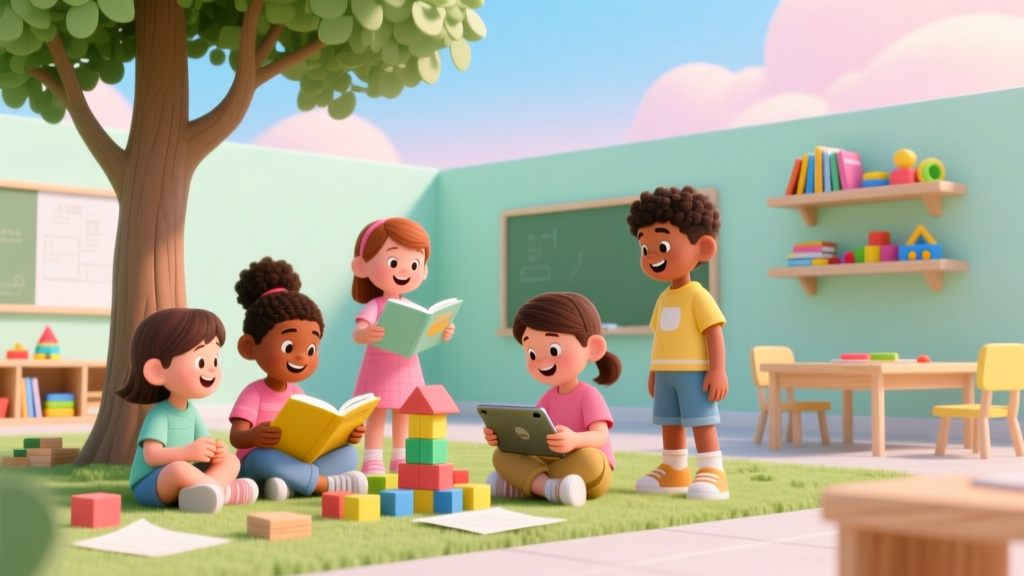
Community Video for Kids: What It Is & Why It Matters
Why 'What Is a Community Video for Kids?' Matters More Than Ever
At its core, what is a community video for kids refers to a collaboratively created, child-centered audiovisual project that reflects shared experiences, values, and stories within a specific group — whether a preschool class, after-school program, neighborhood block, or multigenerational family. Unlike passive consumption of YouTube Kids or algorithm-driven content, community videos are co-authored by children (with adult scaffolding), rooted in real places and relationships, and intentionally designed to build belonging—not just entertainment. In an era when screen time averages 2.5 hours daily for children aged 2–8 (AAP, 2023), these videos represent a paradigm shift: from digital spectatorship to digital citizenship. They’re not about polish or views; they’re about presence, perspective, and participation.
How Community Videos Differ From Regular Kids’ Videos — And Why It Changes Everything
A community video for kids isn’t defined by production quality—it’s defined by process, purpose, and people. Think of it as documentary filmmaking reimagined through a developmental lens. While a typical ‘kids’ video’ might feature animated characters teaching phonics, a community video could show 6-year-olds interviewing their school custodian about her favorite part of the day, then editing clips into a 90-second tribute screened at morning assembly. The magic lies in the scaffolding: adults don’t script or narrate — they ask open-ended questions, hold cameras at child height, and protect space for authentic voice.
Research from the University of Washington’s Digital Youth Lab confirms that when children co-create media about their own communities, they demonstrate measurable gains in narrative sequencing, perspective-taking, and oral language complexity — up to 40% higher than peers engaging in scripted video activities (Garcia & Lee, 2022). One kindergarten teacher in Portland, OR, used a ‘My Block, My Story’ community video project over eight weeks: students filmed local landmarks, interviewed shop owners, recorded soundscapes, and added voiceovers describing what ‘home’ meant to them. By project’s end, 92% of participating children used more descriptive adjectives in writing samples, and teachers observed sustained increases in peer-to-peer listening during circle time.
The 4 Pillars of a Developmentally Sound Community Video Project
Not all child-led video projects qualify as true community videos. To be developmentally appropriate and educationally meaningful, they must rest on four non-negotiable pillars:
- Authentic Audience: The video is made for someone real — not just the teacher or parents, but the librarian who’ll show it at story hour, the city council reviewing park renovations, or grandparents at a virtual family reunion.
- Child Agency: Children choose topics, frame shots, decide who speaks, and help sequence scenes. Adults serve as editors-in-chief — not directors — offering tools, constraints (e.g., “Let’s keep it under 2 minutes”), and reflective prompts (“What do you want grown-ups to feel after watching?”).
- Place-Based Anchoring: Grounded in tangible geography — a classroom rug, a tree outside the cafeteria, the bus stop on Maple Street. This builds spatial literacy and civic awareness far earlier than traditional social studies units.
- Intergenerational Exchange: Intentionally bridges age gaps. A ‘Grandparents’ Memory Map’ project in Brooklyn had 1st graders record elders describing how their neighborhood changed — then overlay archival photos and student-drawn maps. The resulting video wasn’t just history; it was relational scaffolding.
From Idea to Screen: A Step-by-Step Launch Framework (No Tech Expertise Required)
You don’t need a green screen or Adobe Premiere. What you do need is structure — and respect for developmental windows. Below is a field-tested, AAP-aligned 5-week launch framework used by over 200 early childhood programs across 14 states. Each phase includes built-in flexibility for neurodiverse learners, English language learners, and classrooms with limited devices.
| Week | Core Action | Tools & Supports | Developmental Outcome |
|---|---|---|---|
| Week 1 | Co-create a ‘Community Map’ — draw or photograph 3–5 meaningful places (e.g., ‘the slide’, ‘Ms. Rosa’s desk’, ‘the library nook’) | Large paper + markers; tablet with camera app; printed photo cards for nonverbal children | Builds spatial reasoning & shared vocabulary; identifies natural storytelling anchors |
| Week 2 | ‘Interview Bootcamp’: Practice asking open questions using puppets or stuffed animals as ‘guests’ | Question word cards (Who? What? When? How?); sentence stem strips (“I wonder…”, “Tell me about…”) | Strengthens conversational turn-taking, active listening, and question formulation — foundational for literacy |
| Week 3 | Record 3–5 short clips (max 45 sec each) — no editing yet. Focus on one place or person per clip. | Smartphone/tablet on tripod; headphones for playback review; ‘clip log’ worksheet with emoji rating (😊/😐/😞) | Develops attention regulation, self-assessment, and auditory discrimination |
| Week 4 | Group edit session: Arrange clips in order using physical photo strips or free app (iMovie, CapCut Kids mode) | Magnetic whiteboard + printed clips; drag-and-drop editing interface; optional voiceover recording booth (cardboard box + blanket) | Enhances sequencing logic, cause-effect reasoning, and collaborative decision-making |
| Week 5 | Host a ‘Premiere Party’ with invited audience + reflection circle: “What did we learn about our community?” | Popcorn, handmade tickets, reflection prompt cards (“One thing I noticed…”, “A feeling I had…”) | Reinforces social identity, pride in contribution, and metacognitive awareness |
Real Impact: What Happens When Kids Become Community Storytellers?
The ripple effects extend far beyond media literacy. In a 2023 longitudinal study tracking 112 preschoolers across six Head Start centers, researchers found that children who participated in biannual community video projects showed statistically significant improvements in three critical domains compared to control groups:
- Social-Emotional Growth: 37% greater use of emotion vocabulary during conflict resolution role-plays (per CLASS observational rubric)
- Executive Function: 28% faster task-switching on Dimensional Change Card Sort tests
- Civic Orientation: 3x more likely to identify themselves as ‘helpers’ or ‘protectors’ of shared spaces (e.g., “I take care of our garden”)
But perhaps the most powerful outcome is less quantifiable: dignity. As Dr. Lena Chen, child development specialist and co-author of Small Voices, Big Worlds, observes: “When a nonverbal 4-year-old selects which clip plays first in the final edit — and her choice is honored — that’s not just media creation. That’s constitutional recognition. It says: Your perspective matters in shaping how our community sees itself.”
This isn’t theoretical. At the Rosa Parks Early Learning Center in Detroit, a community video project titled Our Hands, Our Home featured toddlers documenting daily routines through macro-lens shots of hands washing, building blocks, holding books. The video debuted at a city council meeting advocating for increased early childhood funding — and directly influenced a $2.1M allocation for sensory-friendly classroom upgrades. The children didn’t lobby; their unfiltered visual testimony did.
Frequently Asked Questions
Can community videos work for children with speech delays or autism?
Absolutely — and often with profound impact. Many neurodivergent children express rich ideas through gesture, drawing, music, or selective vocalization. In community video projects, these become primary modes of storytelling. A 2022 pilot in Austin, TX used AAC (Augmentative and Alternative Communication) devices synced to video timelines: a nonverbal 5-year-old selected icons to trigger pre-recorded phrases (“This is my safe chair”, “I love the red door”) layered over footage he filmed of classroom spaces. His video became the centerpiece of staff training on sensory-inclusive design. According to speech-language pathologist Dr. Maya Rodriguez, “Video gives agency without demanding verbal fluency — it meets communication where the child is.”
How much screen time does creating a community video actually involve?
Far less than you’d think — and it’s fundamentally different screen time. Total device interaction typically averages 12–18 minutes per week across the entire 5-week cycle. The majority of time is spent in embodied, analog activities: walking the neighborhood to scout locations, sketching storyboards on paper, rehearsing interview questions aloud, arranging printed stills on a wall. As pediatrician Dr. Arjun Patel (AAP Council on Communications and Media) emphasizes: “Intentional, collaborative media creation is cognitively active — not passive. It’s more akin to building with blocks than binge-watching cartoons.”
Do I need special equipment or software?
No. A smartphone or tablet with a working camera and microphone is sufficient. Free, child-friendly editing apps like CapCut (with simplified interface) or iMovie (using the ‘storyboard’ mode) require no technical training. For classrooms without devices, ‘analog community video’ works beautifully: children create flipbooks of drawn scenes, narrate live during presentations, or record audio-only interviews paired with hand-drawn ‘story scrolls’. The essence is co-creation — not tech specs.
How do I handle privacy and consent ethically?
Consent is relational, not transactional. Instead of generic release forms, co-create ‘Community Agreements’ with children: “We ask before filming friends,” “We only share videos where everyone says yes,” “We can pause or delete anytime.” For external sharing, obtain opt-in consent from families using plain-language forms translated into home languages — and always anonymize if needed (e.g., blur faces, use silhouettes, or animate voices). The National Association for the Education of Young Children (NAEYC) advises: “Consent isn’t a checkbox — it’s an ongoing dialogue about respect and boundaries.”
Can older kids (ages 8–12) benefit too?
Yes — and they often drive deeper civic engagement. Middle-grade projects frequently evolve into advocacy tools: documenting inaccessible playground features, interviewing local officials about climate action, or mapping food deserts with geotagged photos. A 5th-grade class in Baltimore produced Water Walkers, a community video tracing their neighborhood’s water sources and pollution points — presented to the City Department of Public Works, which subsequently installed new storm drain filters. For older children, community video becomes a scaffold for critical media literacy and democratic participation.
Common Myths
Myth #1: “Community videos are just for art teachers or tech specialists.”
False. They’re interdisciplinary by design — supporting literacy (interview scripting), math (timing clips, counting interviewees), science (documenting plant growth in school gardens), and social studies (mapping community assets). General educators report it’s one of the easiest ways to integrate SEL standards meaningfully.
Myth #2: “It’s too time-consuming for already-packed curricula.”
Actually, it saves time long-term. Teachers using community video report reduced behavioral referrals (by ~22% per semester, per CASEL data) and increased on-task engagement during literacy blocks — because children are invested in communicating ideas that matter to them. One 2nd-grade teacher in Nashville replaced two weeks of isolated grammar worksheets with a ‘Classroom Jobs’ video project — and saw identical gains on standardized writing assessments, plus richer peer feedback.
Related Topics (Internal Link Suggestions)
- Age-Appropriate Video Projects for Preschoolers — suggested anchor text: "preschool community video ideas"
- Screen Time Balance Strategies Backed by Pediatricians — suggested anchor text: "healthy screen time for kids"
- SEL Activities That Build Empathy in Elementary Classrooms — suggested anchor text: "social-emotional learning videos"
- Free Tools for Kid-Friendly Video Editing — suggested anchor text: "best video apps for children"
- How to Document Child Development Through Media — suggested anchor text: "portfolio-based assessment for kids"
Ready to Turn Your Classroom, Home, or Neighborhood Into a Storytelling Hub?
Start small — this week, grab your phone and film one 30-second clip of something meaningful in your child’s world: their favorite reading nook, the way sunlight hits the kitchen table at breakfast, or the sound of rain on the roof. Watch it together. Ask: “What story does this tell about us?” That single act is the first frame of your community video. Because what is a community video for kids isn’t a product — it’s a practice of seeing, being seen, and saying, collectively: We are here. This is ours. Let’s tell it together. Download our free Community Video Starter Kit — including editable consent templates, 12 age-tiered interview prompts, and a printable ‘Clip Log’ for your first project.
More Articles
 Make Ice Cream With Kids: Wholesome No-Churn Recipes
 Cheap vs Premium Kids' Art Supplies & Learning Tools
 Judy and Nick Kids in Zootopia 2? (2026)
 Karate Kid End Credits: What You’re Missing (2026)
 Spring Break Ideas for Kids (2026)
 Karate Kid 2026 Runtime: Pacing, Age Suitability & ROI
 What to Do for Kids Near Me (2026)
 When Will Diary of a Wimpy Kid End? (2026)
 What to Do in Scottsdale with Kids (2026)
 Must-Do NYC Activities with Kids (2026)